


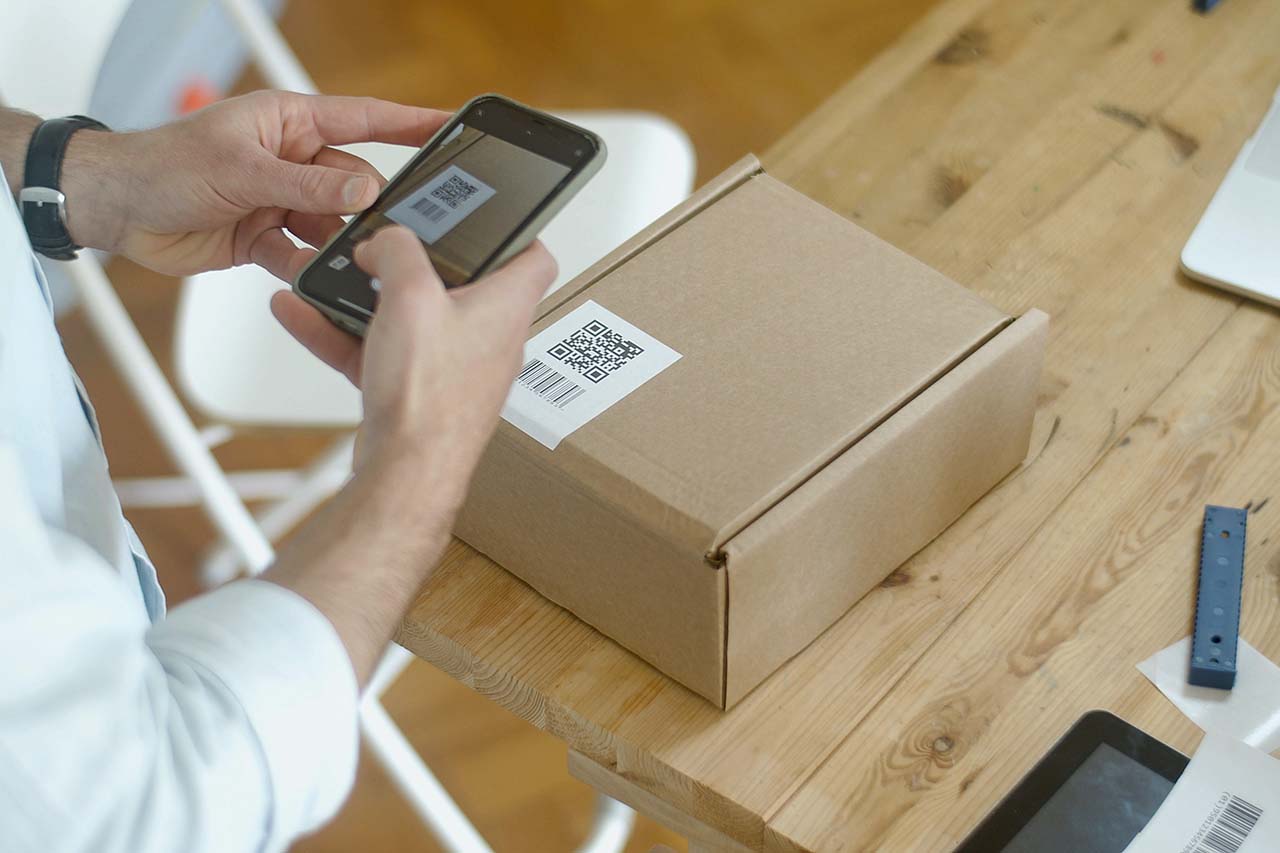
Why QR codes matter
QR codes matter because they make it easy to connect the physical world to digital content instantly. With a quick scan from a smartphone, people can open a website, access information, make a payment or download content without typing a link or searching online. After more than a decade of managing redirects and supporting long-running QR code deployments for businesses, we’ve seen how reliably QR codes perform when set up properly.
QR codes also reduce friction. QR codes remove steps from the user journey, which increases engagement and makes actions faster and more convenient. This is especially valuable in situations where speed, simplicity or limited space matters, such as packaging, signage, menus or printed marketing materials.
For businesses, QR codes offer both flexibility and measurability. Across real-world campaigns and operational use cases, we’ve found that QR codes paired with editable destinations can be updated, monitored and optimized long after they’re printed. This makes QR codes not just a convenient tool, but a scalable way to bridge offline touchpoints with digital experiences.
What is a QR code
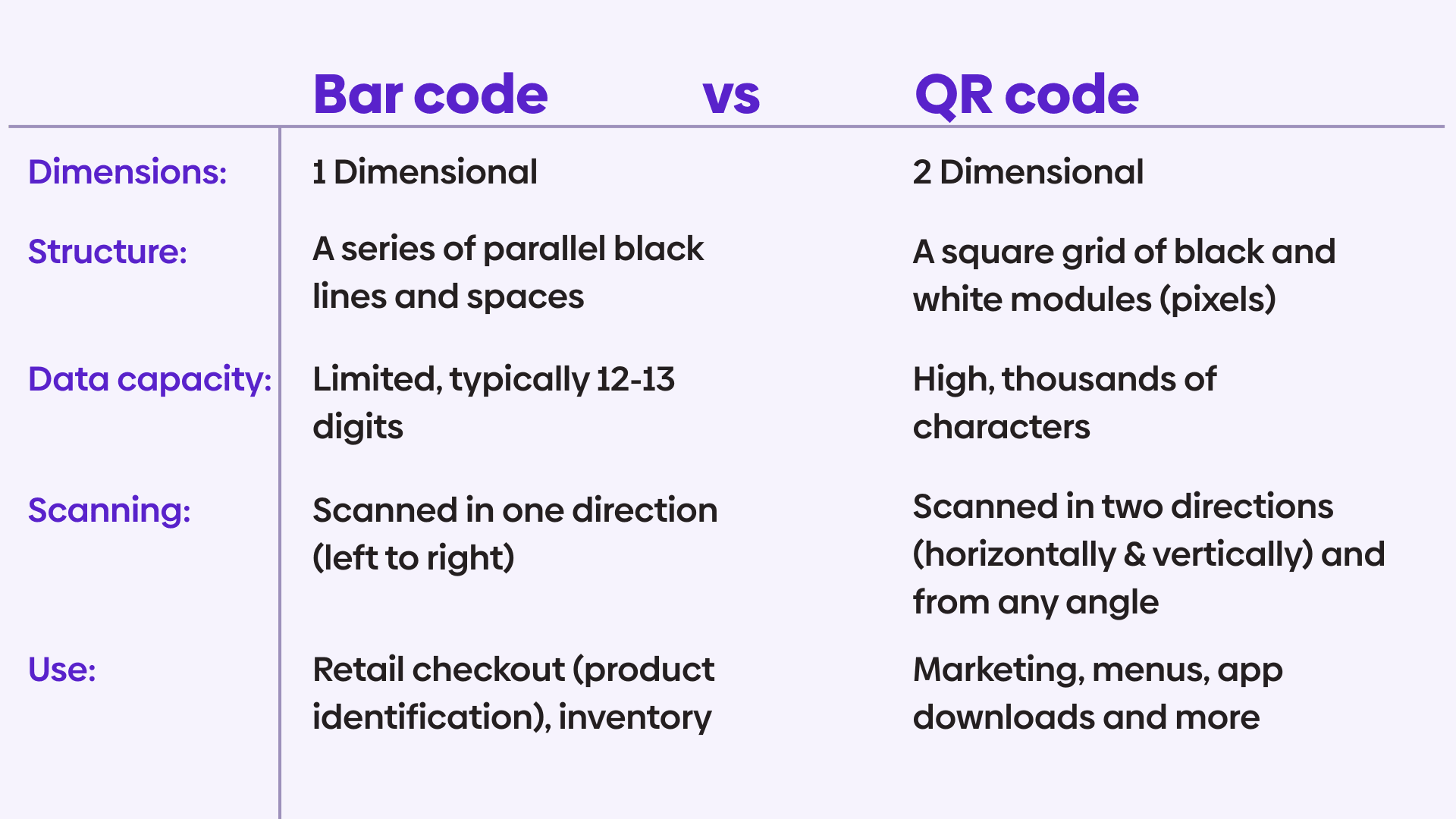
A QR code (quick response code) is a two-dimensional barcode that stores information and can be scanned by a smartphone or camera to instantly open digital content. Unlike the traditional barcodes you might see at the grocery store, which can only store around 12 digits, QR codes can hold a variety of data and don’t require a special device or program to open.
How do QR codes work?
How the data is stored
A QR code is generated based on input data. The input data is usually a URL, but can include plain text, contact information, Wi-Fi credentials, calendar events and so on.
When a QR code is generated, the input data is:
- Converted into a binary format.
- Encoded using a specific QR encoding mode (numeric, alphanumeric, 8-bit binary or kanji).
- Compressed and structured into data blocks.
- Protected with error correction using Reed-Solomon algorithms.
Error correction is a key technical feature. It allows a QR code to remain readable even if part of it is damaged, dirty or covered. Depending on the chosen error correction level, up to around 30% of the code can be missing and still scan correctly.
How scanners recognize a QR code
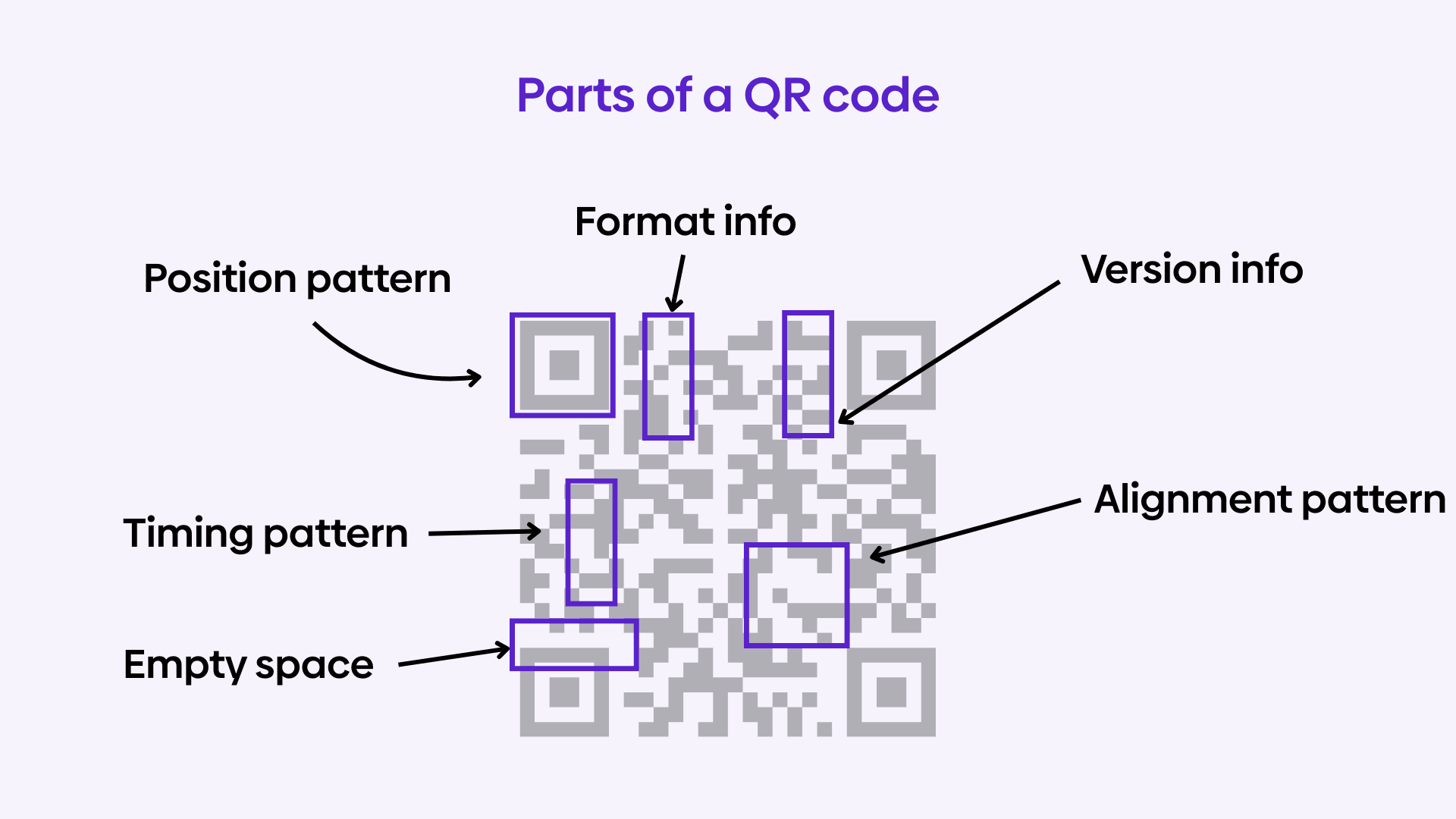
Every QR code includes fixed patterns that help scanners understand how to read it:
- Finder patterns (sometimes called the position pattern), the large squares in the corners tell the scanner the code is a QR code and help with orientation.
- Alignment patterns help correct distortion when scanning from angles.
- Timing patterns help determine the size and dimensions of the data grid, similar to how a ruler would.
- Format and version information tell the scanner how the data is encoded and how much error correction is used.
These patterns allow the QR code to be scanned quickly from almost any angle.
Turning a link into a QR code (URL to QR code)
One of the most common uses of a QR code is to turn a simple link into something people can open instantly with their phone. Instead of typing a long URL, users scan the code and are taken directly to the page you want them to see.
The process itself is straightforward. You start with the link you want to share, which could be a website, a landing page, a menu or a download. When you enter that link into a QR code generator, the tool converts the URL into a scannable pattern of squares. Once scanned, the QR code tells the device to open the link in a browser.
After generating the QR code, it’s a good idea to customize it carefully. Adding a brand color or logo can make the code stand out, but readability should always come first. High contrast, clean edges and enough quiet space around the code help ensure it scans quickly on different devices.
Before using the QR code publicly, always test it. Scan it with multiple phones, in different lighting conditions and from a reasonable distance. A quick test can prevent broken links, scanning errors or a frustrating user experience.
Turning a link into a QR code is a simple step, but when done correctly, it creates a fast, frictionless way to connect people from the physical world to digital content.
What you need to create a URL to QR code
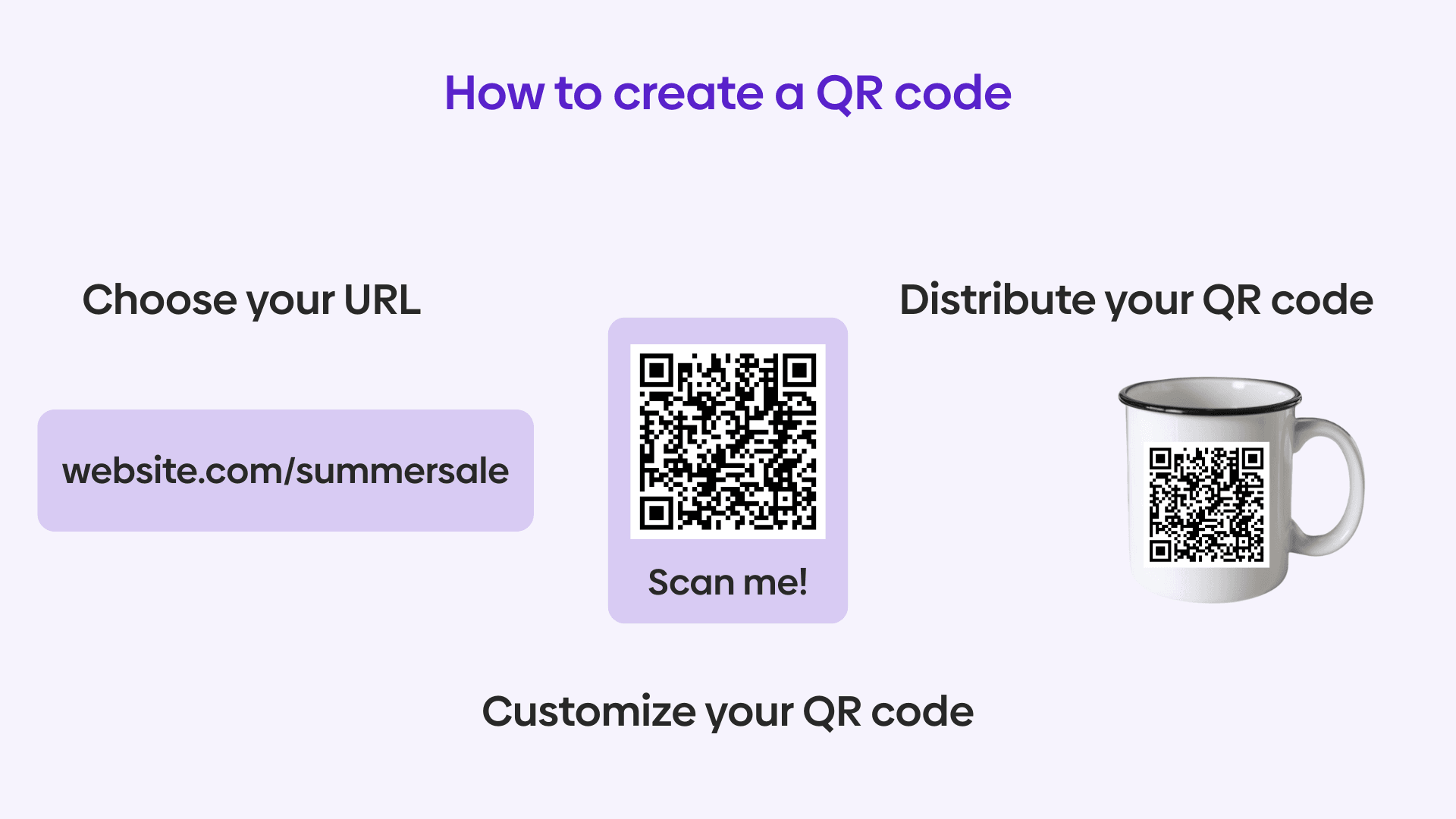
To create a URL to QR code, you only need a few basic elements:
A destination URL.
This is the website, landing page, menu, download or resource you want people to reach when they scan the QR code.
A QR code tool or service.
You’ll use a QR code service (often referred to as a QR code generator) to convert your URL into a scannable QR code. This tool encodes the link so it opens instantly in a browser when scanned with a smartphone camera.
Optional: customization and tracking.
Many services let you customize the appearance of your QR code and track scans. These features help align the QR code with your brand and understand how people interact with it.
In short, creating a URL to QR code is about turning a link into a fast, scannable entry point, while choosing the right setup ensures it stays flexible, measurable and reliable over time.
Are QR codes still relevant in 2026?
QR codes have dipped in and out of the mainstream since their introduction in 1994. Their widespread adoption was limited by a lack of supporting technology and a poor user experience. They began gaining traction with the adoption of smartphones. The largest revival came with the COVID-19 era, with many restaurants switching to a QR-based menu to prevent the spread of germs. Many establishments kept this menu system even after restrictions had lifted.
In recent years, QR codes have evolved well beyond simple marketing tools. In 2026, they are widely used across both consumer and business settings to support marketing campaigns, authenticate logins across devices, enable fast purchases, simplify data sharing, power event ticketing and facilitate cryptocurrency transactions involving long wallet addresses. Thanks to native scanning support built into mobile operating systems like iOS and Android, users can scan QR codes instantly with their camera, making them a seamless way to connect physical materials to digital experiences without requiring additional apps.
What’s changed isn’t whether people use QR codes, but how they’re perceived. QR codes are no longer a novelty; they’re expected. Users recognize them, trust them and understand exactly what to do when they see one. For businesses, this makes QR codes a reliable, mobile-first bridge between offline touchpoints and digital experiences.
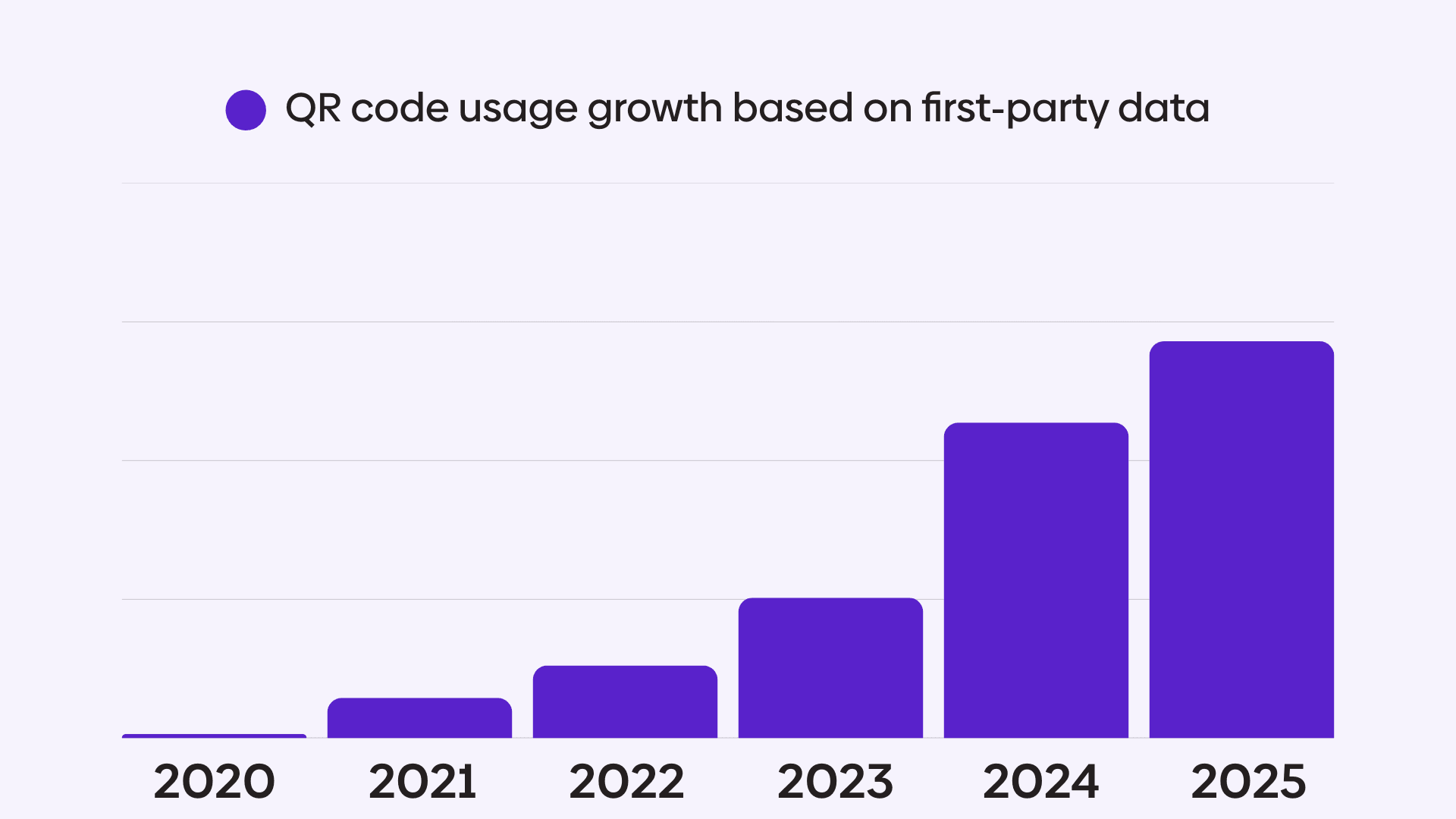
We’ve seen from our very own first-party data that QR code usage has been significantly growing year after year, with usage nearly 8x between 2021 and 2024.
Common use cases for link-based QR codes
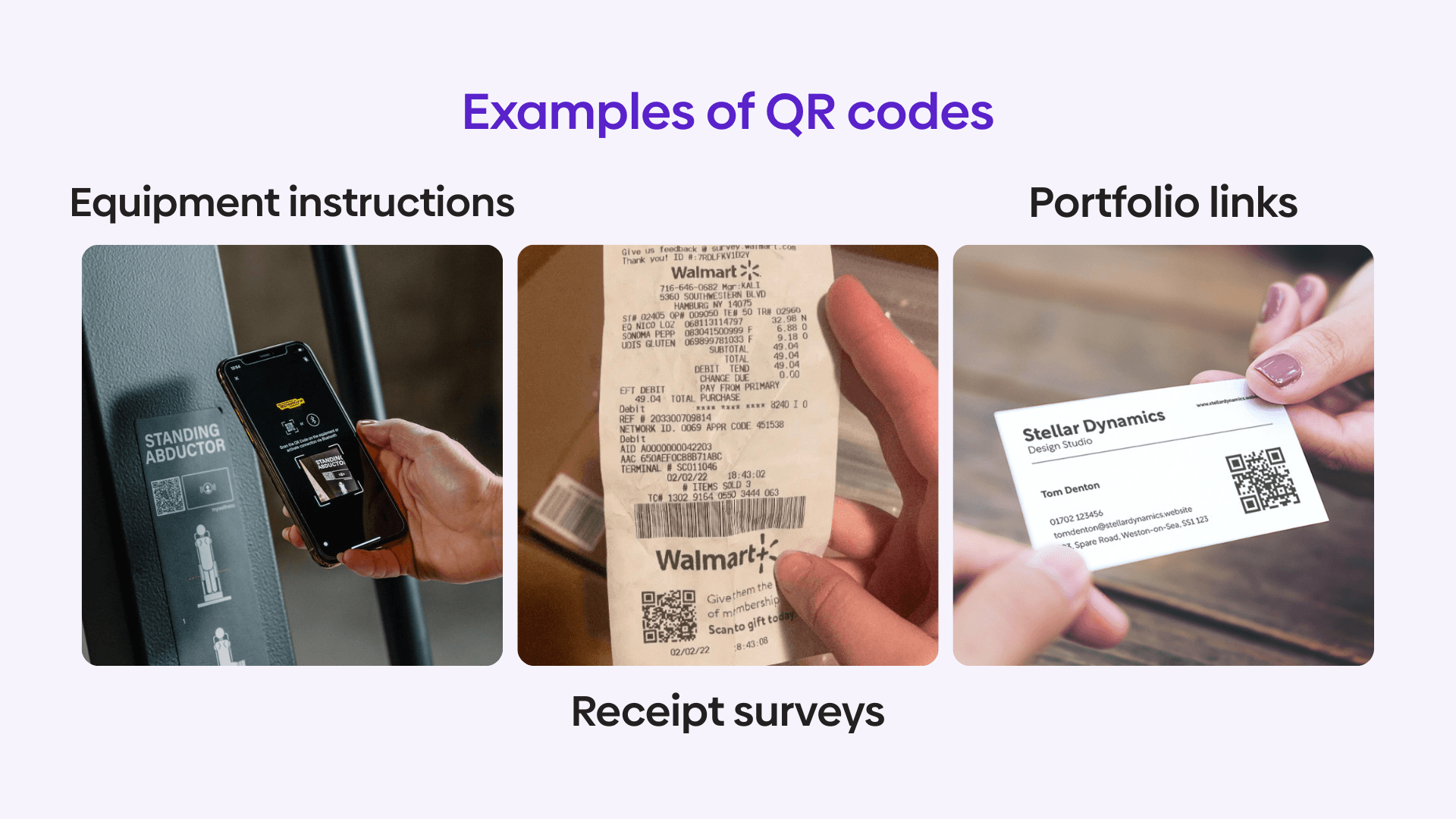
Here are some examples of how our customers are using QR codes today.
QR codes and marketing
QR codes have become a powerful part of modern omnichannel marketing because they connect physical touchpoints directly to digital experiences. Marketers can place QR codes on merchandise, in brick-and-mortar stores, on packaging or in print campaigns to guide customers to sign-ups, promotions, product information or special offers. This creates a simple, familiar way to engage audiences while making offline campaigns measurable and actionable.
The real flexibility comes from how the QR code’s destination is managed. Because a QR code itself cannot be changed once it’s printed, you should choose a QR code provider that lets you edit the destination as often as needed. This allows marketers to update landing pages, rotate offers, launch new campaigns or fix mistakes without replacing printed materials or reissuing QR codes.
Campaigns can evolve over time, content can be refreshed and performance can be optimized, all while the same QR codes remain in place. In 2026 and beyond, treating URL redirects as a core part of QR code marketing is essential for building scalable, cost-effective omnichannel strategies.
QR codes and e-commerce
Online purchasing is one of the most effective applications for QR codes. More and more e-commerce providers are enabling their technology to function well with QR codes, allowing them to create new purchase opportunities with easy access.
Essentially, a user scans the product or coupon QR code and is automatically brought to the specific product page online to continue the product journey.
Shopify is one e-commerce provider in particular that has branded Shopcodes specifically for its users. You can add discounts to QR codes to incentivize purchases using built-in parameters.
These Shopcodes also provide analytics, allowing you to see where your customers are coming from and how they’re buying.
QR codes and operations
In operational settings, QR codes are used to give instant access to information employees or customers need in the moment. For example, QR codes placed on equipment can link to setup guides, safety instructions or maintenance logs. In warehouses or offices, they can point to internal documentation, checklists or request forms without requiring anyone to search through systems or remember URLs.
Link-based QR codes are also common in customer support and self-service. A QR code on a product, receipt or device can link directly to troubleshooting steps, FAQs or a support portal, helping users solve issues quickly without contacting support.
In these scenarios, the value of QR codes is speed and accuracy. They reduce friction, prevent errors and make sure the right information is accessed at the right time, especially in environments where typing or searching isn’t practical.
Best practices for URL-based QR codes
Creating a QR code from a link is easy, but creating one that actually gets scanned and continues to work over time takes a bit more thought. Here are the best practices we’ve shared with our clients over the past 10+ years. Following a few best practices can help ensure your URL-based QR codes are reliable, scannable and effective wherever they’re used.
Use clean, reliable URLs.
Start with a URL that you trust and plan to maintain. Broken links or temporary pages quickly turn a QR code into a dead end. If the destination might change in the future, choose a QR code creation service that offers unlimited destination edits so you can update the link without replacing the code.
Optimize the landing page for mobile.
Most QR codes are scanned on phones, so the destination page should load quickly and display well on smaller screens. Avoid linking to pages that are slow, cluttered or difficult to navigate on mobile devices.
Keep design simple and high-contrast.
While visual customizations such as the frame, shape and color of your QR code graphic can help it match your brand, scannability should always come first. Use high contrast between the code and background, avoid overly complex designs and leave enough empty space around the code so scanners can detect it easily.
Place QR codes where scanning is convenient.
Think about how and where people will scan the code. QR codes should be large enough to scan from a comfortable distance and placed where users don’t need to bend, twist or guess what will happen when they scan.
Add context next to the QR code.
A QR code without explanation can feel unclear or untrustworthy. A short callout like “Scan to view the menu” or “Scan to visit our website” helps set expectations and increases scan rates.
Test before and after publishing.
Always test your QR code before sharing it publicly. Scan it with multiple devices and camera apps and test it again after printing or publishing to catch any issues with size, contrast or placement.
Monitor performance when possible.
Analytics are an important consideration when choosing a QR code service. These analytics allow you to keep an eye on scan data over time. Monitoring performance can help you spot issues early, understand user behavior and improve how and where you use URL-based QR codes.
How to choose the right QR code service
While many tools make it easy to create a QR code in seconds, what matters most is how that QR code performs and stays reliable after it’s printed or shared. Choosing the right service ensures your QR codes remain fast, secure and manageable over time.
Reliability & longevity.
QR codes only work as long as the service behind them does. Choose a provider built for long-term use, so printed codes don’t break if a tool disappears. For example, how is the company generating revenue, how long have they been operating, is QR codes their core product or a feature and what types of companies are using them, big enterprise clients or small, one-time clients.
Scalable management.
Managing QR codes at scale requires bulk updates, organization and team access, especially as campaigns, locations or use cases grow.
Analytics & visibility.
Scan data such as volume, location and device type helps teams understand engagement and improve performance over time.
Flexible destinations.
QR codes should allow destinations to be updated without reprinting, making it easy to fix errors or evolve campaigns.
Fast resolution.
QR codes should resolve almost instantly. Delays longer than a few seconds create friction and lead to abandoned scans.
Customization without risk.
Light branding is useful, but scannability and contrast should always come first across devices and environments.
Built-in security.
Look for HTTPS-only resolution, secure upgrades, protections against embedded or masked content and predictable routing behavior.
Why QR codes need unlimited destination edits
Once a QR code is printed or distributed, the image itself can’t be changed. That makes it essential to use a QR code generator that allows you unlimited destination edits at any time without needing to reprint or replace the code. This flexibility ensures customers always reach the most relevant content, even as campaigns, landing pages or business priorities change.
For QR codes that appear on packaging, signage, posters or materials already in circulation, the ability to edit destinations is especially important. Teams can fix mistakes, rotate promotions or adjust messaging long after the QR code has been deployed.
When managed properly, QR codes become long-term assets rather than one-time links. They support e-commerce, marketing campaigns, information sharing and omnichannel experiences while protecting your budget from costly reprints. With urllo, teams can generate QR codes and update destinations easily, ensuring every scan leads exactly where it should, now and in the future.
Frequently asked questions about QR codes
What is a URL to QR code?
A URL to QR code is a QR code that contains a website link. When someone scans it with a smartphone or camera, the QR code opens the URL automatically in a web browser, removing the need to type the address manually.
How do I turn a URL into a QR code?
To turn a URL into a QR code, you start with the link you want to share and use a QR code service to convert it into a scannable code. Once scanned, the QR code directs the user straight to the webpage, making it one of the fastest ways to connect physical materials to online content.
How do QR codes work?
URL to QR codes work by encoding a web address into a QR code’s square pattern. When scanned, the device decodes the information and opens the link, taking the user directly to the intended webpage.
Can I change the destination of a QR code?
The image itself cannot be changed once it’s printed. However, if the QR code service allows destination edits, the destination can be updated at any time without replacing the code. This is especially important for long-term use on packaging, signage or printed campaigns.
Do QR codes expire?
URL to QR codes do not expire on their own, but they depend on the service managing the link behind them. If that service shuts down or stops supporting the link, the QR code can break. Using an established provider that will be around for a while and pointing QR codes to URLs you control helps reduce this risk.
Can I track how many times a QR code is scanned?
Some QR code services offer analytics while others don’t. If this is a feature you’re needing, make sure to pick one that shows scan counts, locations, devices and timing, which can help measure engagement and improve performance.
Can I customize a QR code from a URL?
Yes, QR codes can be customized with colors or branding, as long as they remain easy to scan. High contrast, clean edges and enough empty space around the code are essential to ensure reliable scanning across different devices and lighting conditions.
Is it safe to use QR codes?
QR codes themselves are safe, but they can link to unsafe destinations if misused. Always test your QR codes before publishing them and use a trusted provider to manage your links. Advanced services offer settings like HTTPS upgrading, HSTS and prevent foreign embedding. For users, it’s best practice to scan QR codes from trusted sources and review the destination before proceeding.
What’s the best use case for QR codes?
QR codes are ideal whenever typing a link would be inconvenient. Common use cases include posters, flyers, packaging, menus, business cards, event signage, product instructions and quick access to websites or downloads.
Should I use a QR code or a short link?
QR codes work best in physical environments where scanning is faster than typing. Short links are more suitable for digital-only channels. In many cases, businesses use both together, with the QR code pointing to a managed or trackable URL.
How do I test a QR code?
To test a QR code, scan it with multiple devices and camera apps. Make sure it opens the correct webpage quickly and works under different lighting conditions and distances. Make sure to check for security settings to keep users and data safe.
Should I use a short URL before creating a QR code?
No, given users won’t see the URL, there’s no point using a short URL. Creating a short URL before a QR code will create an additional hop, creating a redirect chain.

By Sean Pasemko
SEO & Growth Marketing Specialist
Sean Pasemko is an SEO and growth marketer at urllo, where he works closely with SEO, IT and WebOps teams on redirect management, domain changes and site migrations.
His writing draws on practical experience analyzing redirect behavior, crawl efficiency and long-term site maintenance to help teams avoid common routing and performance issues.






.png&w=2560&q=88)

.png&w=2560&q=88)



.png&w=2560&q=88)
