
What makes a good redirect checker?
When you check redirects, you’re not just confirming that a page loads; you’re verifying how it loads. A proper redirection checker should help you check website redirection paths, identify unnecessary hops and find redirect loops that may affect performance. For SEO specifically, using a 301 redirect checker can help confirm that permanent redirects are implemented correctly and consistently.
A reliable redirect checker should clearly show the HTTP status code returned by a URL. It should also show whether the URL resolves directly or passes through intermediate hops.
Redirect checkers are used in different ways, including: • checking a single URL to verify a redirect • testing redirects during development • auditing large numbers of pages across a site
In all cases, visibility into the full redirect chain is essential.
Not all redirect checkers are built for the same purpose and choosing the right tool depends on more than whether it simply returns a 301 or 302 status code. To evaluate them properly, there are seven key criteria worth considering:
Status codes
A redirect checker should clearly show the HTTP status codes returned at each step in the redirect path. This is the foundation of redirect validation, since it tells you whether a URL is returning the intended response and helps distinguish between permanent, temporary and broken redirect behavior.
Redirect latency
Redirect speed matters, especially when multiple hops are involved. A tool that shows redirect latency helps you understand not just whether a redirect works, but whether it introduces unnecessary delay that could affect user experience or overall site performance.
User agent testing
Some redirects behave differently depending on who is requesting the page. User agent testing makes it possible to compare how a site responds to browsers, mobile devices or search engine bots, which is useful when diagnosing cloaking issues, bot-specific behavior or inconsistent redirect logic.
Free access
Pricing affects which tools are practical for different kinds of work. Some redirect checkers are fully free for occasional checks, while others limit advanced features, bulk testing or API access behind paid plans. This can make a big difference depending on how often you need to validate redirects and at what scale.
Response headers
Response headers provide the technical context behind redirect behavior. Seeing headers such as cache directives, location values and server responses can reveal issues that status codes alone miss, making this one of the most useful criteria for deeper technical troubleshooting.
DNS records
DNS visibility can be helpful when a redirect issue is actually rooted in domain configuration rather than redirect rules themselves. Tools that surface DNS records add another layer of troubleshooting value, especially when checking domain setup, propagation issues or conflicts between hosting and redirect behavior.
Exportable results
The ability to export results becomes much more important during audits, migrations and collaborative workflows. Exportable data makes it easier to document findings, share redirect checks with clients or teammates and keep a record of issues that need to be fixed or revalidated later.
Redirect checker tools at a glance
| Feature | httpstatus.io | urllo redirect checker | Wheregoes | SE Ranking Redirect Checker | WhatsMyDNS Redirect Checker | Redirect-Checker.org |
|---|---|---|---|---|---|---|
| Bulk checks | ✔️ | ✔️ | ❌ | 30 URLs per scan | ❌ | ❌ |
| Free | ✔️ | ✔️ | ✔️ | 5 checks per day | ✔️ | ✔️ |
| Status codes | ✔️ | ✔️ | ✔️ | ✔️ | ✔️ | ✔️ |
| Response headers | ✔️ | ✔️ | ✔️ | ❌ | ❌ | ✔️ |
| Redirect latency | ✔️ | ✔️ | ✔️ | ❌ | ❌ | ❌ |
| DNS records | ❌ | ✔️ | ❌ | ❌ | ❌ | ❌ |
| Exportable | ✔️ | ✔️ | ❌ | ✔️ | ✔️ | ❌ |
| User agent testing | ✔️ | ✔️ | ✔️ | ❌ | ❌ | ✔️ |
Breaking down the top redirect checkers
1. httpstatus.io
Rating: 5/5
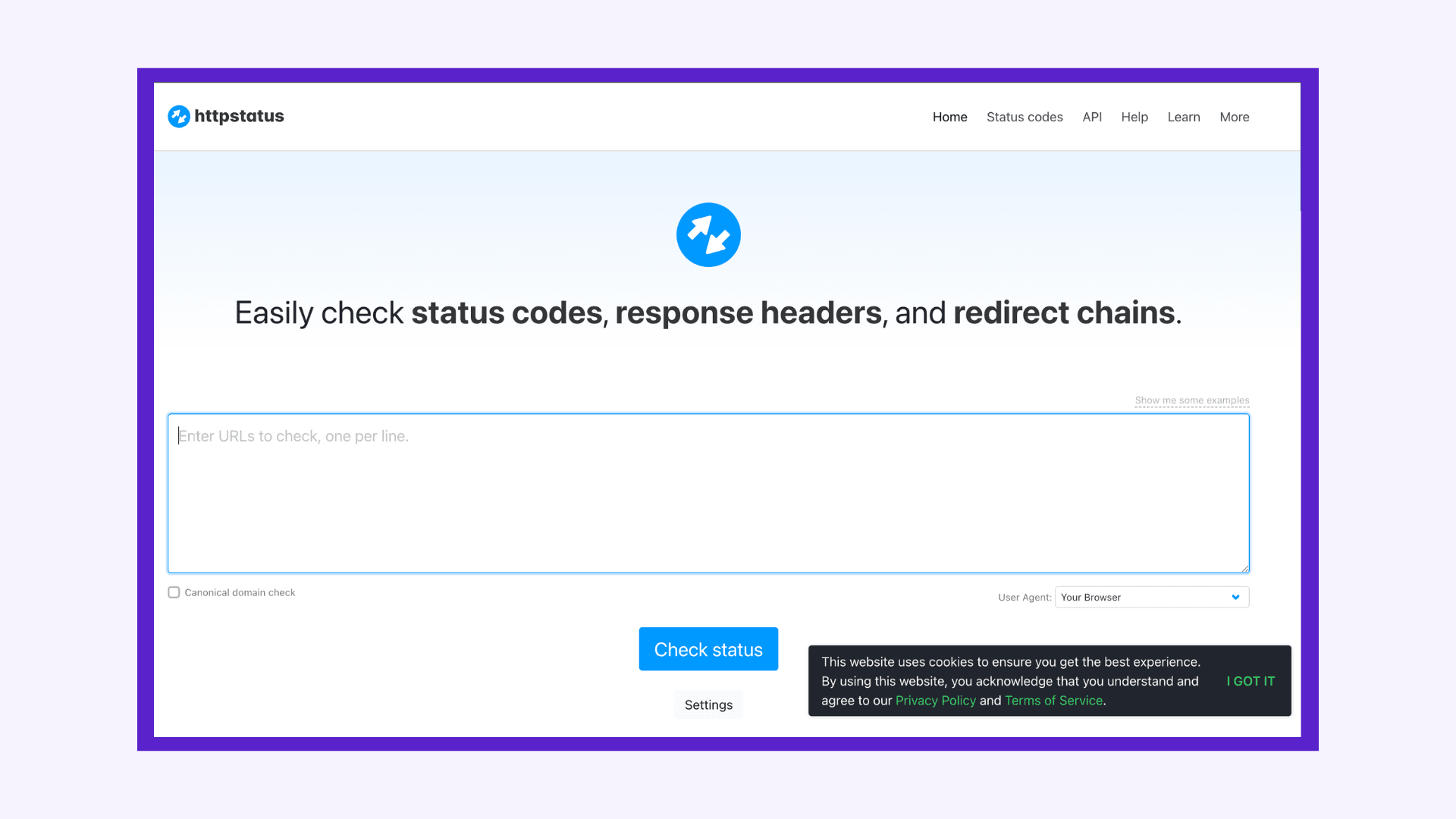
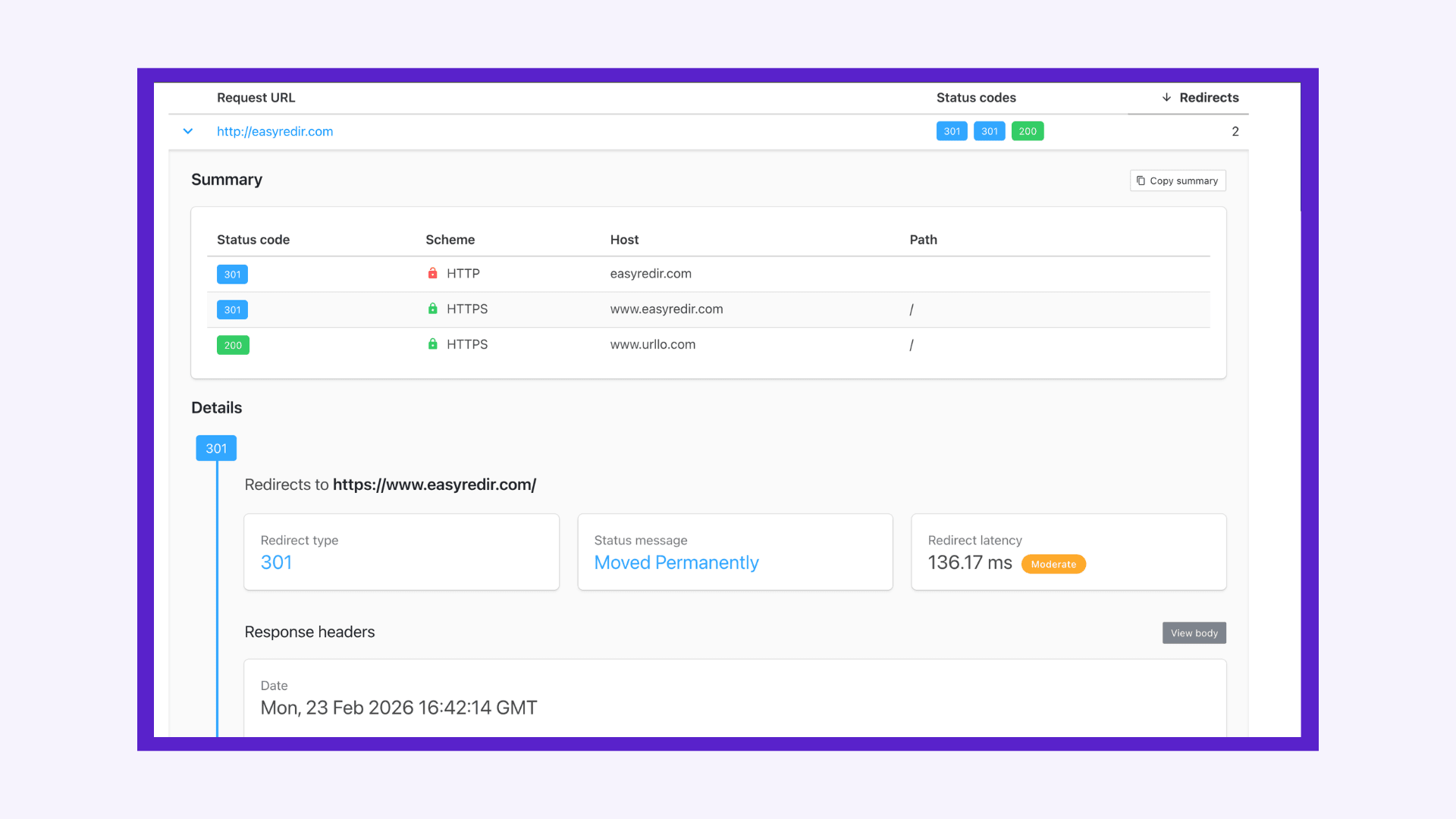
httpstatus.io is a strong choice. It combines bulk checking with fast response times, structured results, user-agent testing, exportable data, solid error handling, extensive documentation and an API for automation.
It’s especially useful when you need more than a simple 301/302 check, since it helps you spot inefficient redirect chains with HTTP response headers and troubleshoot issues that may be tied to caching, server behavior or configuration.
Watch out for: No DNS information and its bots can sometimes be blocked by firewalls or security tools.
Product screenshots:
2. urllo’s redirect checker
Rating: 5/5
urllo’s redirect checker is a full-featured redirect checker built for both quick validation and deeper analysis. It supports status codes, redirect latency, user-agent testing, response headers, DNS records and exportable results, making it much more than a basic spot-check tool.
The results are designed to be easier to interpret than older or more bare-bones tools, with a clearer structure that helps you follow redirect behavior without digging through overly technical output. That makes it useful whether you want a quick answer or need more technical detail during troubleshooting.
One of its standout strengths is that it brings multiple layers of redirect diagnostics into one place, so you can validate redirect behavior, compare responses across user agents, review headers and DNS context and export findings without switching between separate tools.
Watch out for: Hopefully nothing! If there is something, let us know.
Product demo:
3. WhereGoes.com
Rating: 3/5
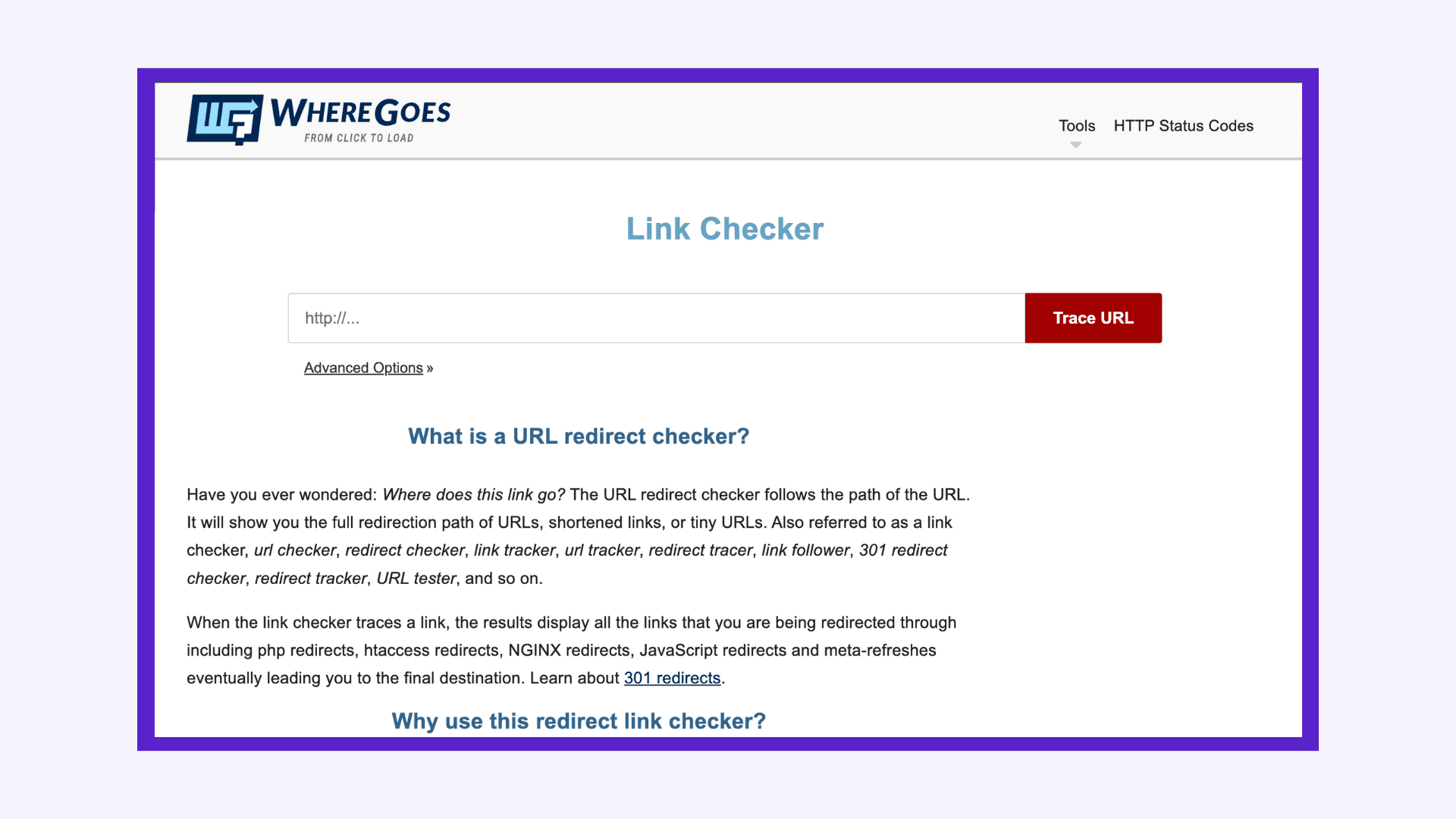
WhereGoes is a useful option when your main goal is tracing messy or unfamiliar redirect paths, especially links that pass through shorteners, affiliate networks or other third-party redirect systems.
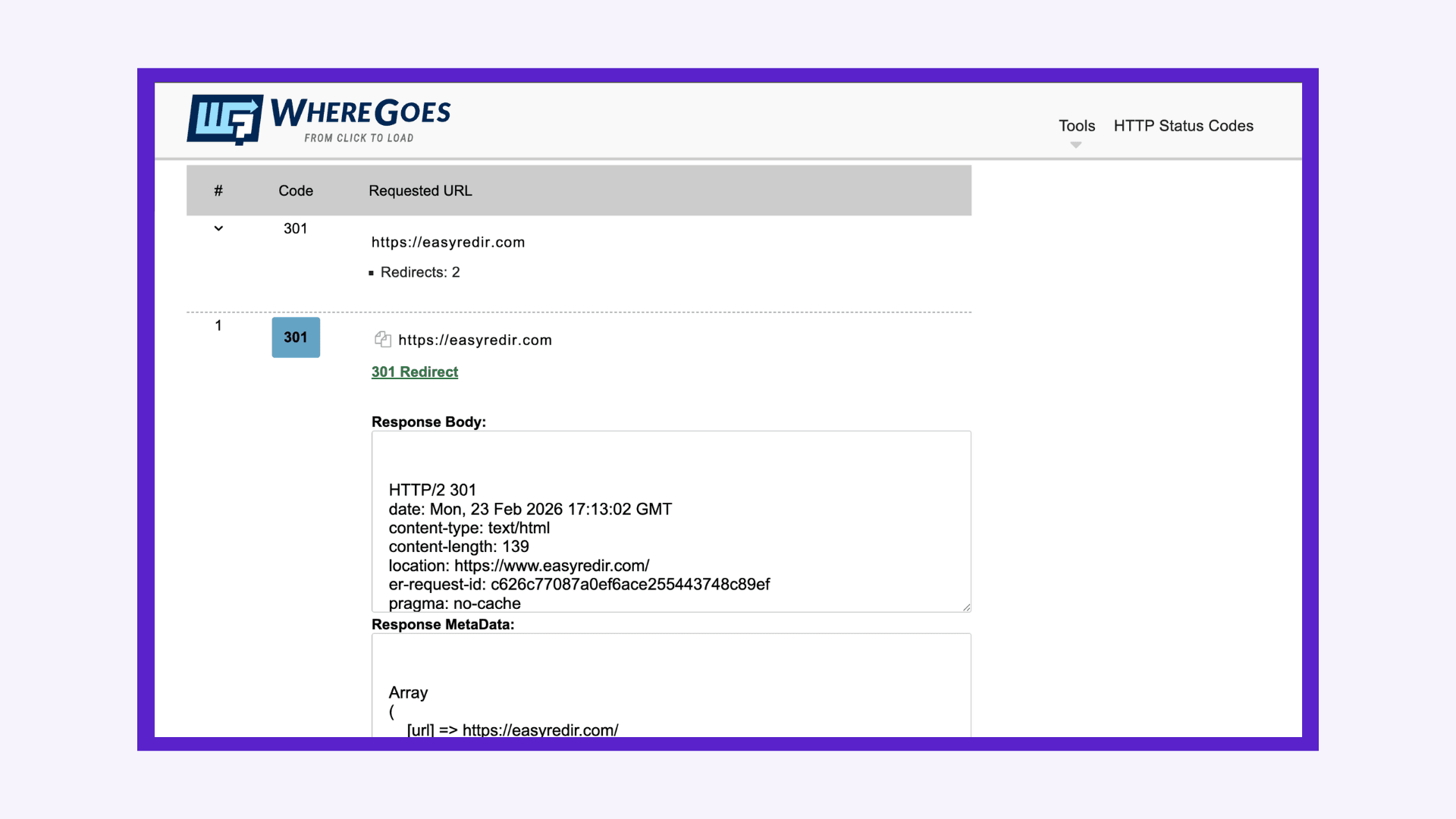
It provides a large amount of technical detail, including the full response body and response metadata, which can be helpful when you want to inspect exactly what happened at each step. The tradeoff is that the output is mostly raw. It is not especially well structured or interpreted for you, so you have to do more of the reading and analysis yourself.
That makes it less approachable than tools that present redirect results in a cleaner, more guided format. The information is there, but it can feel cluttered, difficult to scan and overwhelming for users who just want a clear answer.
It does at least surface a “too many redirects” error, which is useful for obvious redirect loop issues, but error handling beyond that appears limited.
Watch out for: no bulk testing, no exportability and output that is hard to read.
Product screenshots:
4. SE Ranking redirect checker
Rating: 3/5
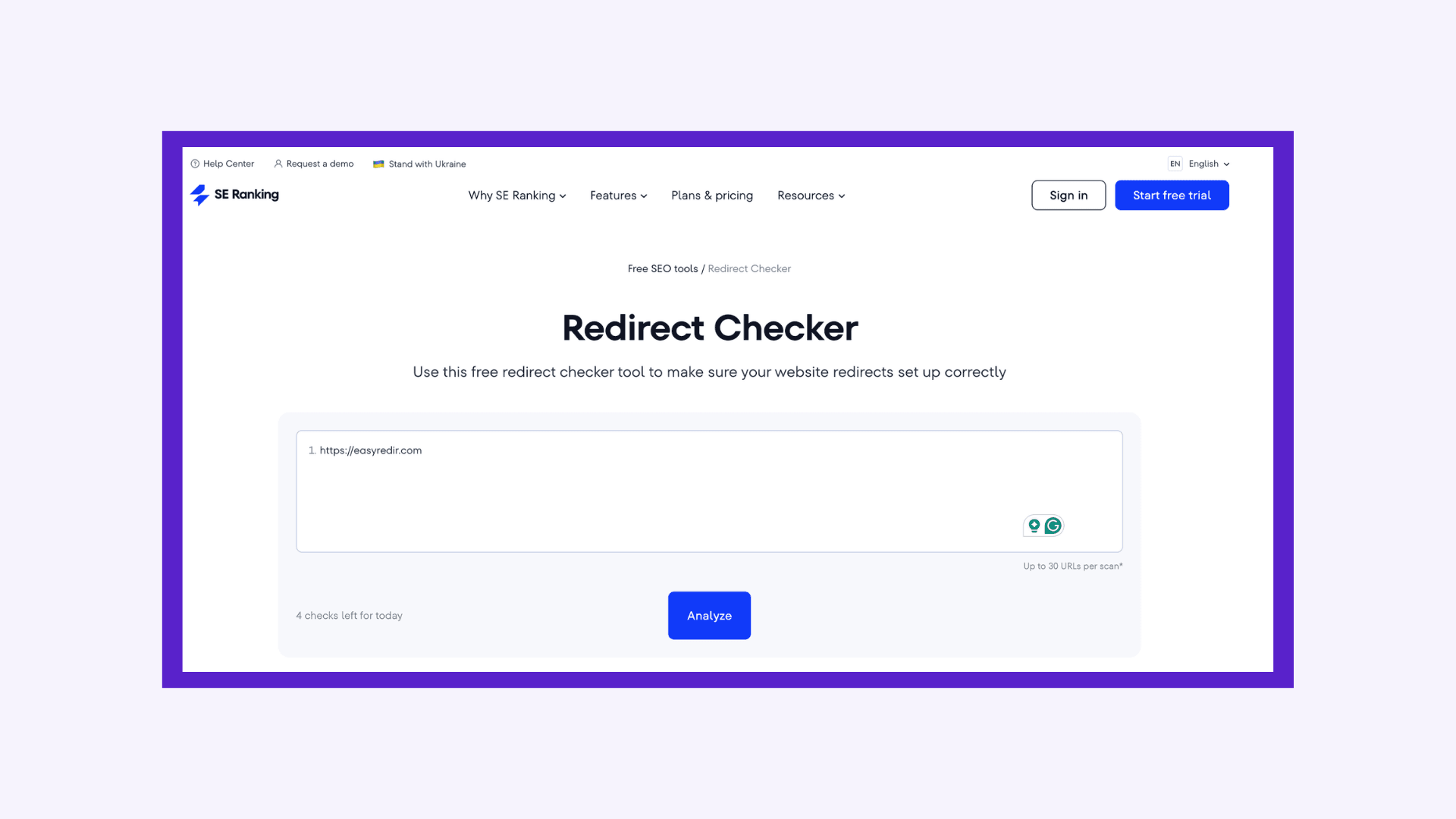
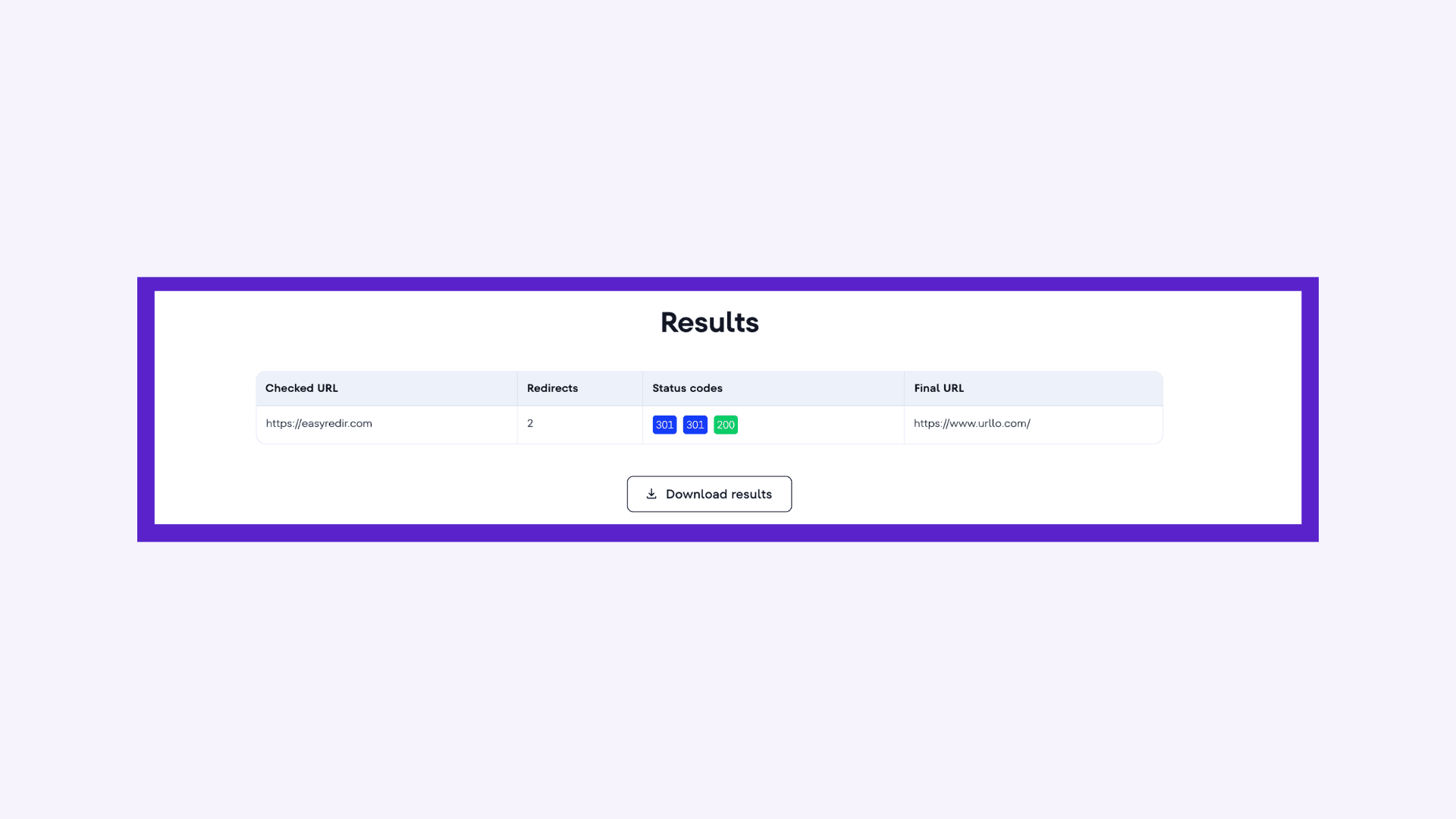
SE Ranking’s redirect checker is best viewed as a convenience feature inside a larger SEO platform rather than a standalone redirect analysis tool. If you’re already using SE Ranking for audits or ongoing SEO maintenance, it’s handy for quickly validating redirect behavior without leaving the ecosystem.
It tells you the number of redirects, the status codes at each step and the final URL. Unfortunately, it does not offer diagnostic capabilities via headers, latency information, error-handling or DNS information.
Its main value is speed and accessibility for basic checks, particularly when you’re reviewing issues surfaced during a broader audit. However, it isn’t the tool you’d choose for deep redirect debugging or migration-grade QA, especially if you need detailed header inspection or batch workflows.
Watch out for: limited technical depth and not built for large-scale redirect analysis.
Product screenshots:
5. whatsmydns.net
Rating: 3/5
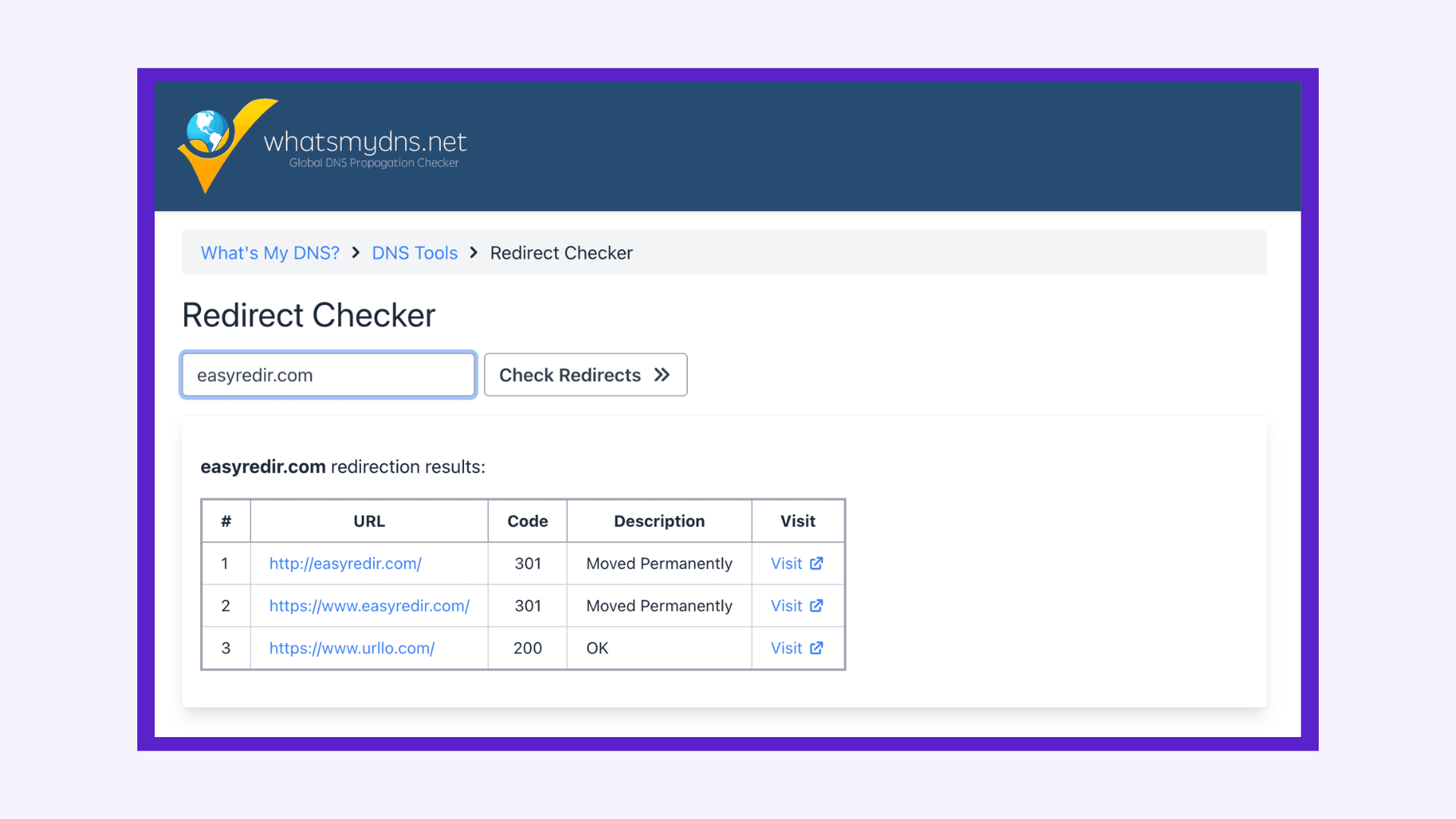
WhatsMyDNS is best known for its DNS propagation tool and its redirect checker feels more like a companion utility than a full audit solution. It’s built for quick validation: paste in a URL, check the status code and confirm whether the redirect path looks correct.
It gives you a bit more detail than simpler checkers by showing the redirect steps, but it still stops short of deeper diagnostics. You do not get response headers, latency data or other debugging details that are often useful when troubleshooting redirect issues. DNS analysis is available on their site but in a separate tool. You’ll need to re-enter all of your URLs if you want to look up DNS records and propagation.
One area where it performs well is error handling. It surfaces issues like too many redirects, TLS errors and DNS resolution failures clearly, which makes it more useful than a basic pass/fail checker.
It’s convenient and accessible, but it is not designed for deep debugging or bulk workflows.
Watch out for: Limited technical detail and no support for bulk testing.
Product screenshots:
6. Redirect-Checker.org
Rating: 2/5
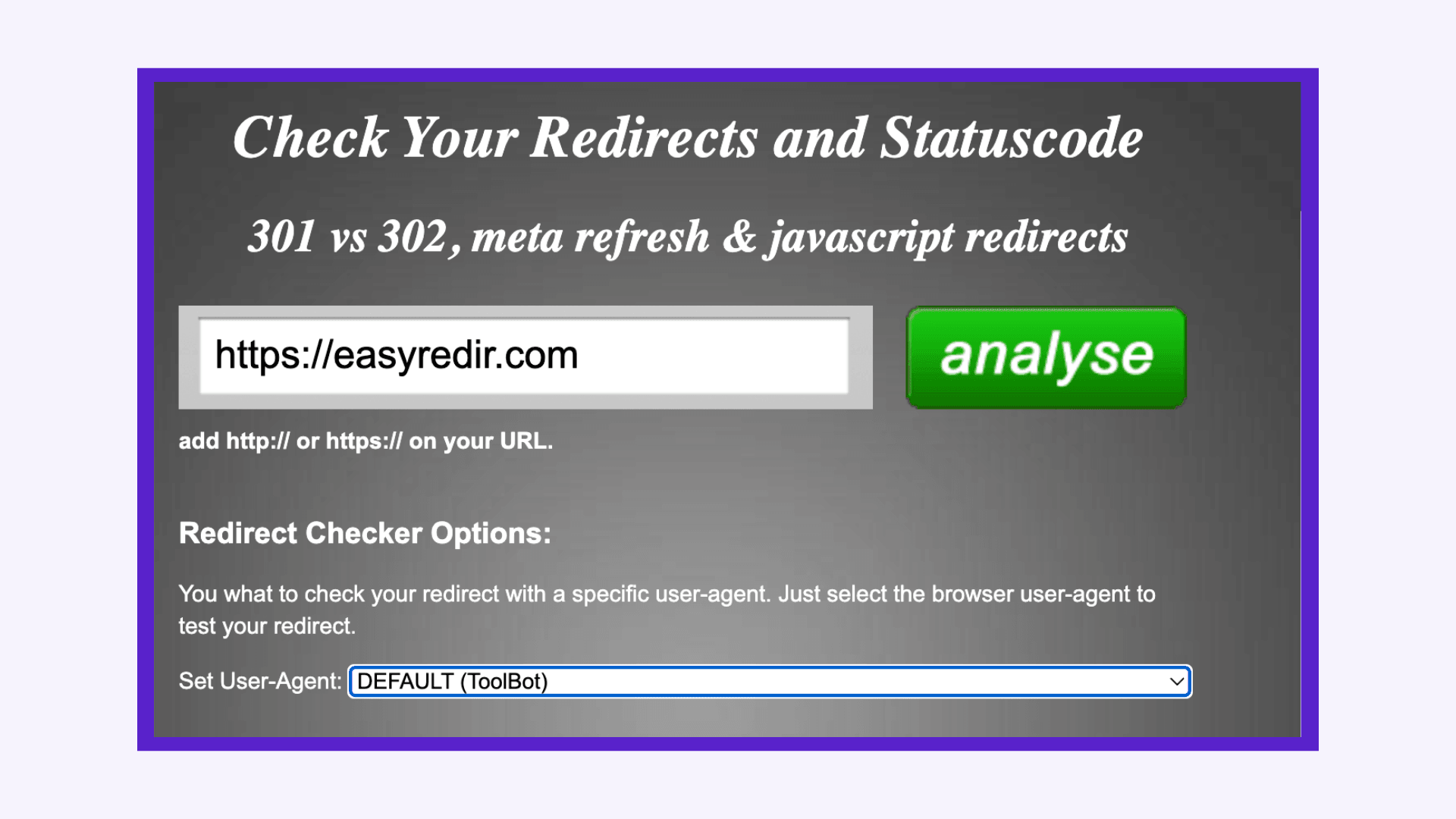
Redirect-Checker.org is a simple tool for quick, reliable spot checks. It’s not designed for scale.
The results page itself is not super intuitive. There isn’t much offered in terms of explanatory text, making it difficult for a non-technical user to scan and interpret results.
One memorable feature is the ability to check meta refresh redirects and the analysis of common JavaScript redirects.
It also supports user-agent testing, which is useful when you want to confirm consistency between bots and browsers without switching tools.
Watch out for: no bulk testing, limited error handling (DNS or TLS errors) and an outdated design that’s hard to read.
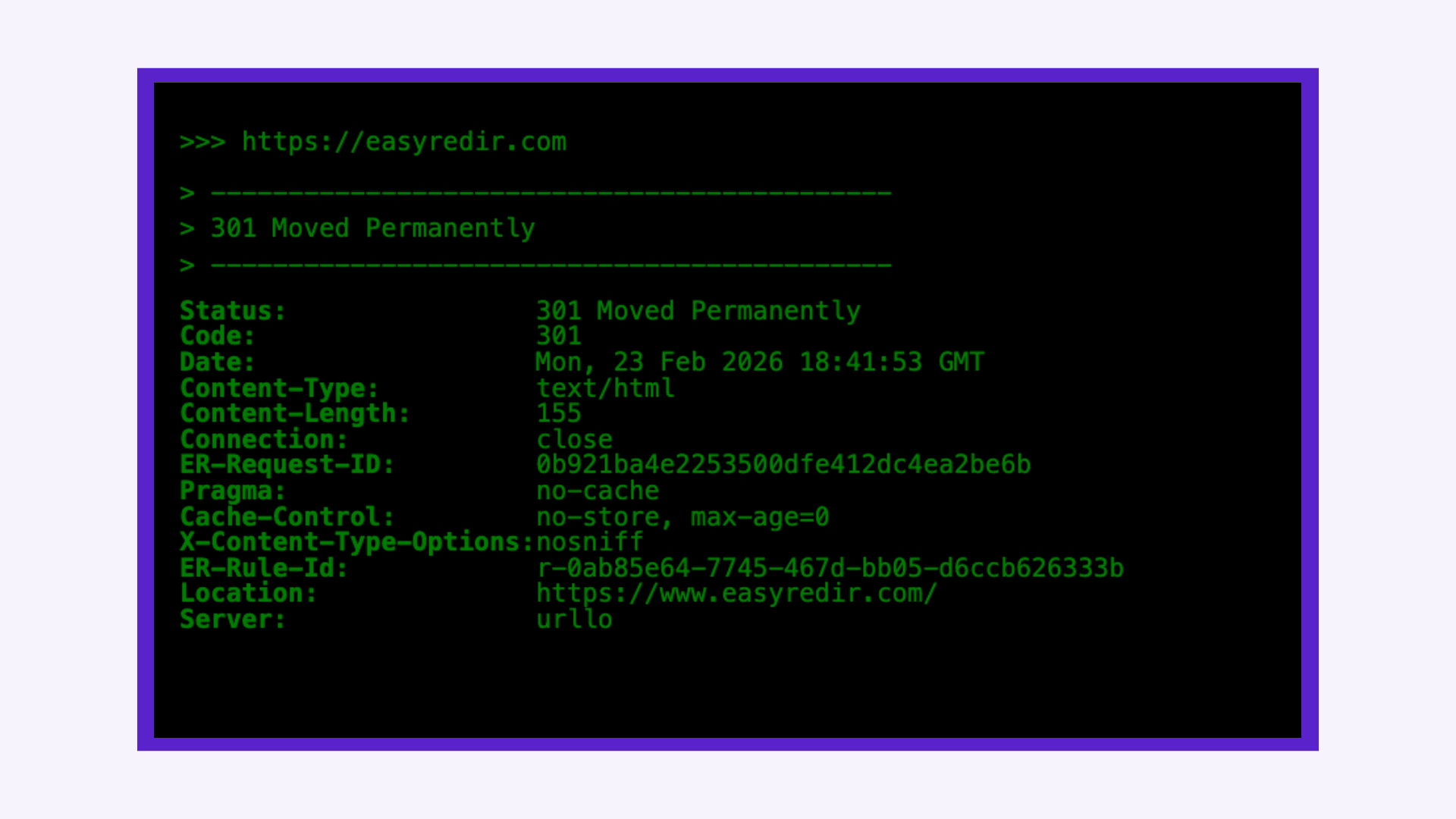
Product screenshots:

How to use a redirect checker
Whether you’re using a simple URL redirect checker for a quick spot check or a more advanced website redirect checker during a migration, the process is generally the same. Here’s how to properly check redirects and interpret the results.
1. Enter the full URL
Start by pasting the complete URL into the redirect checker, including the protocol (http:// or https://).If you’re testing canonical behavior, check multiple variations:
- http://example.com
- https://example.com
- http://www.example.com
- https://www.example.com
This helps you fully check website redirection and confirm that all versions resolve to your preferred canonical URL.
2. Review the HTTP status code
Once you run the redirect check, the first thing to examine is the status code returned.
Common outcomes:
- 200 - No redirect (page loads directly).
- 301 - Permanent redirect.
- 302 - Temporary redirect.
- 307/308 - Temporary/permanent redirect variants.
If you’re validating a migration, use the tool as a 301 redirect checker to confirm that old URLs return a 301 status and point directly to the correct final destination.
3. Inspect the redirect chain
Next, look at the full redirect path. A good redirection checker will show the chain clearly:
URL A → URL B → URL C → Final URL
In general, the best practice is to keep the redirect chain as short as possible. Fewer hops mean:
- Lower latency.
- Better crawl efficiency.
- Easier debugging.
Whenever possible, the source URL should redirect directly to the final destination.
That said, redirect chains of two or three hops can be valid in some cases. This often happens when a URL needs to be normalized before reaching its destination, such as upgrading from HTTP to HTTPS or redirecting from the apex domain to www.
For example:
http://source.com → https://source.com → https://www.source.com → https://www.destination.com
In this case, each step has a purpose:
- The first redirect upgrades the request from HTTP to HTTPS.
- The second redirect normalizes the hostname from the apex domain to www.
- The final redirect sends the visitor to the intended destination.
The goal is not to eliminate every multi-step chain, but to remove unnecessary hops. If a redirect exists only because of outdated or overlapping rules, update your configuration so the path is as direct as possible.
4. Confirm the final destination URL
Make sure the final URL:
- Matches your intended canonical version.
- Uses HTTPS (if applicable).
- Resolves without further redirects.
- Does not return an error status code.
If you’re trying to find redirect issues, check that the destination isn’t looping back to the original URL or creating a circular redirect.
5. Review response headers (if available)
More advanced redirect checkers display raw HTTP headers. Reviewing headers can help you:
- Confirm cache-control settings.
- Verify server responses.
- Identify mismatched user-agent behavior.
- Diagnose performance bottlenecks.
This step is especially useful during technical SEO audits or when debugging unexpected behavior.
6. Test in bulk (if auditing multiple URLs)
If you’re working through a migration or large redirect update, use a website redirect checker that supports bulk testing. Upload your list of URLs and verify:
- Each old URL returns a 301.
- Each redirect points to the correct destination.
- There are no redirect chains or loops.
Bulk testing ensures you don’t miss edge cases that manual checks might overlook.
When should you use a redirect checker?
Use a redirect checker when you:
- Launch a new site or domain.
- Complete a migration.
- Update URL structures.
- Implement canonical redirects.
- Troubleshoot redirect loops.
- Notice inconsistent behavior across regions (possible DNS issue).
Regularly checking redirects helps ensure they remain direct, intentional and efficient, especially as your site evolves.
Choosing the right redirect checker
The best tool depends on what you need to inspect.
In practice, many teams need more than a simple pass/fail redirect check. They need to verify where a URL resolves, confirm the supporting DNS setup and inspect the headers returned at each step.
No matter which tool you use, the goal is the same: make sure redirects are direct and intentional. Even a single unnecessary redirect hop can add avoidable latency and at scale, those inefficiencies compound.
Frequently asked questions about redirect checkers
What does a redirect checker show?
A redirect checker displays the HTTP status code, the full redirect chain (if any) and the final destination URL. More advanced tools also show response headers, latency or response time data and DNS records.
Do redirect chains hurt SEO?
Yes. While search engines can follow multiple redirects, long chains reduce crawl efficiency and increase page load time. Best practice is a single 301 redirect directly to the final destination.
What is the difference between a 301 and 302 redirect?
A 301 redirect is permanent and signals that a URL has permanently moved. A 302 redirect is temporary and indicates the original URL may be restored. For most migrations and SEO-related changes, a 301 is recommended.
How can I tell if a redirect is permanent?
Use a redirect checker to review the HTTP status code. A permanent redirect returns a 301 (or 308) status code.
Can I check multiple redirects at once?
Only certain redirect checkers support bulk testing. If you’re auditing a large set of URLs during a migration, choose a tool that allows batch processing.
Why does my redirect work in one location but not another?
Inconsistent redirect behavior is often caused by DNS propagation. If you recently updated nameservers or DNS records, the redirect may not resolve globally until propagation completes.

By Sean Pasemko
SEO & Growth Marketing Specialist
Sean Pasemko is an SEO and growth marketer at urllo, where he works closely with SEO, IT and WebOps teams on redirect management, domain changes and site migrations.
His writing draws on practical experience analyzing redirect behavior, crawl efficiency and long-term site maintenance to help teams avoid common routing and performance issues.

.png&w=2560&q=88)

.png&w=2560&q=88)
.png&w=2560&q=88)