



The best URL structure for SEO is short yet descriptive. A good URL should clearly explain what the page is about in as few words as possible, without unnecessary folders, dates, parameters or filler words.
To make SEO work, you have to take care of several major things. Your website’s performance has to be great, your content should be unique and valuable and your backlinks need to come from the best sources.
Looking at all this, URLs seem like such a tiny detail. But in reality, they aren’t. That’s why we’ve dedicated an entire guide to SEO-friendly URLs. If you have a website, you’ll have to work with your links whether you like it or not. So, it’s important to understand how to do that correctly.
What is an SEO-friendly URL?
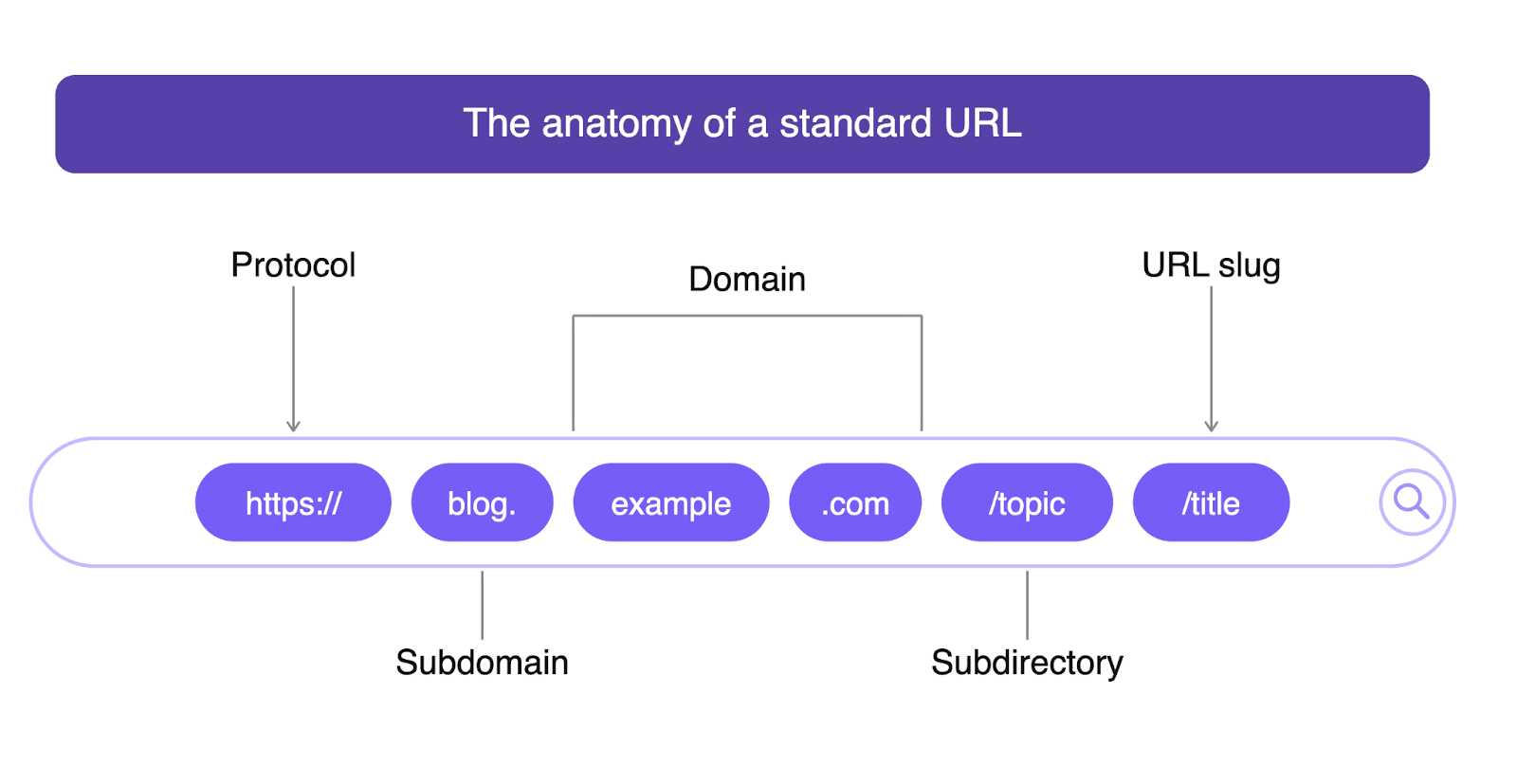
SEO-friendly URLs are simply optimized links that make it easier for Google bots and your visitors to understand what each page is about. To understand how it works, let’s first figure out what a typical URL consists of:
- Protocol. This refers to HTTP/HTTPS, which you typically see at the beginning of every link.
- Subdomain. This is like a prefix you can see before the domain. It indicates a particular section of a website, like blog.site.com, shop.site.com, support.site.com, location-based ones (es.site.com, uk.site.com, etc.) or even the usual www is also a subdomain.
- Domain. This is your website’s name. For example: urllo.com
Path. This is everything after the domain name. It can include subdirectories (e.g., category, subcategory), page slug, different parameters, etc.
URL optimization for SEO works not only for links on your website but also for your external links (aka backlinks). It’s important that pages where you do PR or post guest articles also have clean URLs.
Why is URL optimization important for SEO?
Before we explain how to create SEO-friendly URLs, let’s understand why it matters in the first place. There are a couple of major reasons:
- Page understanding. A clear and relevant link helps search engines and users better understand what the topic of your page is.
- Easier crawlability. In Google’s documentation, you can clearly see that “overly complex URLs, especially those containing multiple parameters, can cause problems for crawlers.” So, when you stick to less complex links, you make your site easier to crawl.
- Higher CTR. According to research, when people see a keyword-based link, they’re 45% more likely to click it compared to URLs that aren’t related to their search term. This also means that user experience is generally better this way.
- Less URL clutter and duplicates. When you have easy-to-understand links, organizing them is much more straightforward. Often, this also helps website owners avoid duplicates because they’re easier to spot.
- Easier for AI tools to interpret. There isn’t enough data on this yet. But clean URLs may help AI tools better understand your site structure. And this could indirectly improve your citation chances.
Yet, there is one very important point we have to make. Even though URLs are a ranking signal, their importance can’t be compared to unique, valuable content or high-quality backlinks. Yes, they’re crucial, but they matter much more for CTR, trust and crawlability. And all those indirectly influence your rankings.
So, don’t expect that you can post AI-generated fluff, add some spammy backlinks and make that content rank by simply optimizing your URL. It’s just one of the components, not the entire story.
7 URL best practices for SEO (according to Google)
Now, let’s see the practical things you can do to improve your URL structure and make it more SEO-friendly.
1. Keep it short and descriptive
If you run a simple experiment and go through some trusted websites, you’ll see that their URLs are short and clean. And it isn’t a coincidence. According to Backlinko's study of 11.8 million Google search results, the average URL on the first page is 66 characters long.
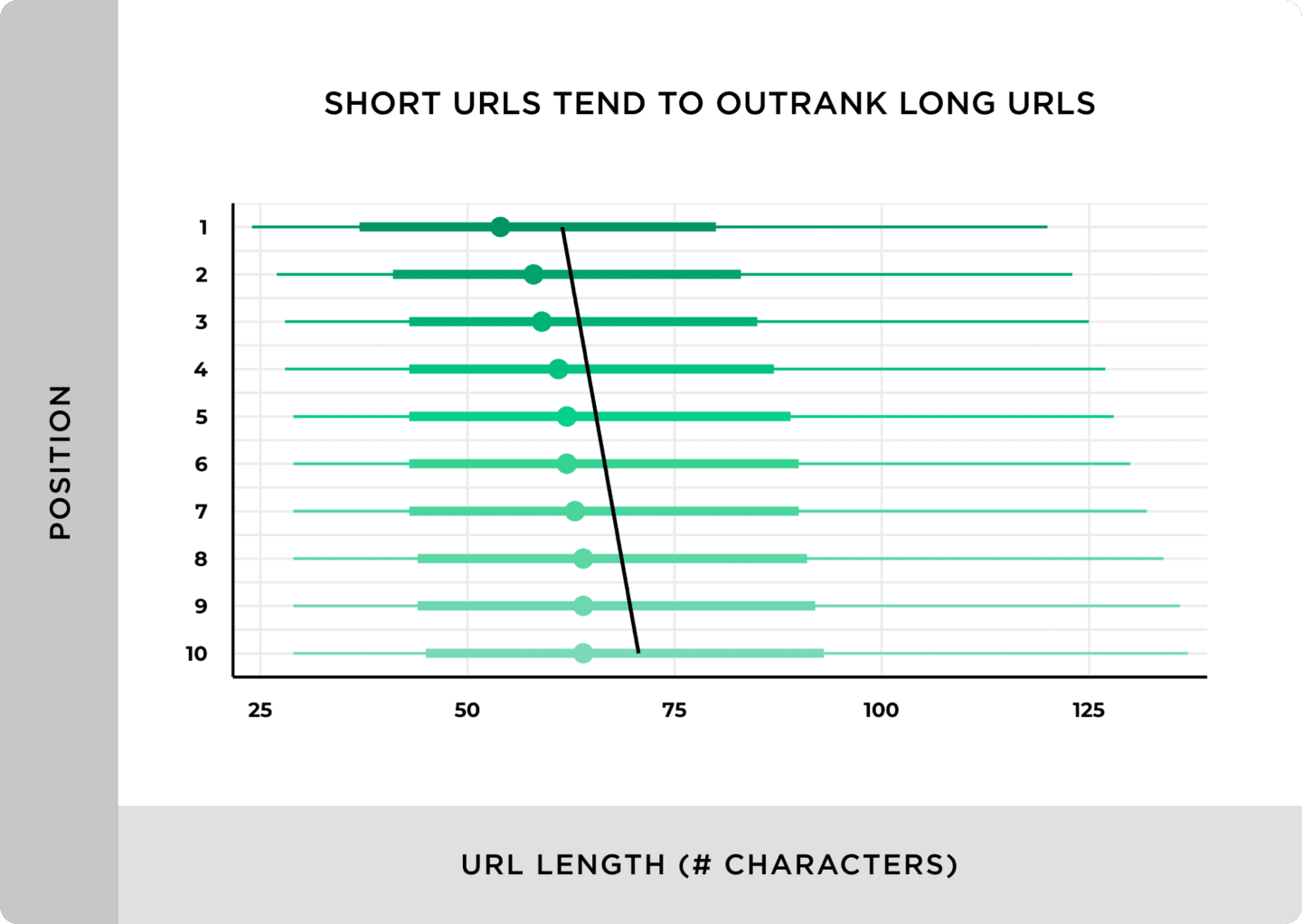
With that said, the only thing Google ever said about URL length was that it shouldn’t exceed 1,000 characters, which is really hard to do.
Still, the best URL structure for SEO is short yet descriptive. Simply try to explain what your page is about in as few words as possible. It’s also important to avoid creating paths that are too long. For example, something like site.com/learn/resources/blog/marketing/content-marketing/ topic-of-your-blog-post isn’t the best approach.
It might seem well-organized. But architectures this deep often make sites harder to crawl and maintain. So, if it’s unnecessary, don’t do it. If you own an online store or a very complex website, though, it could be completely fine. The main point is not to overcomplicate things when you don’t have to.
2. Use hyphens to separate words
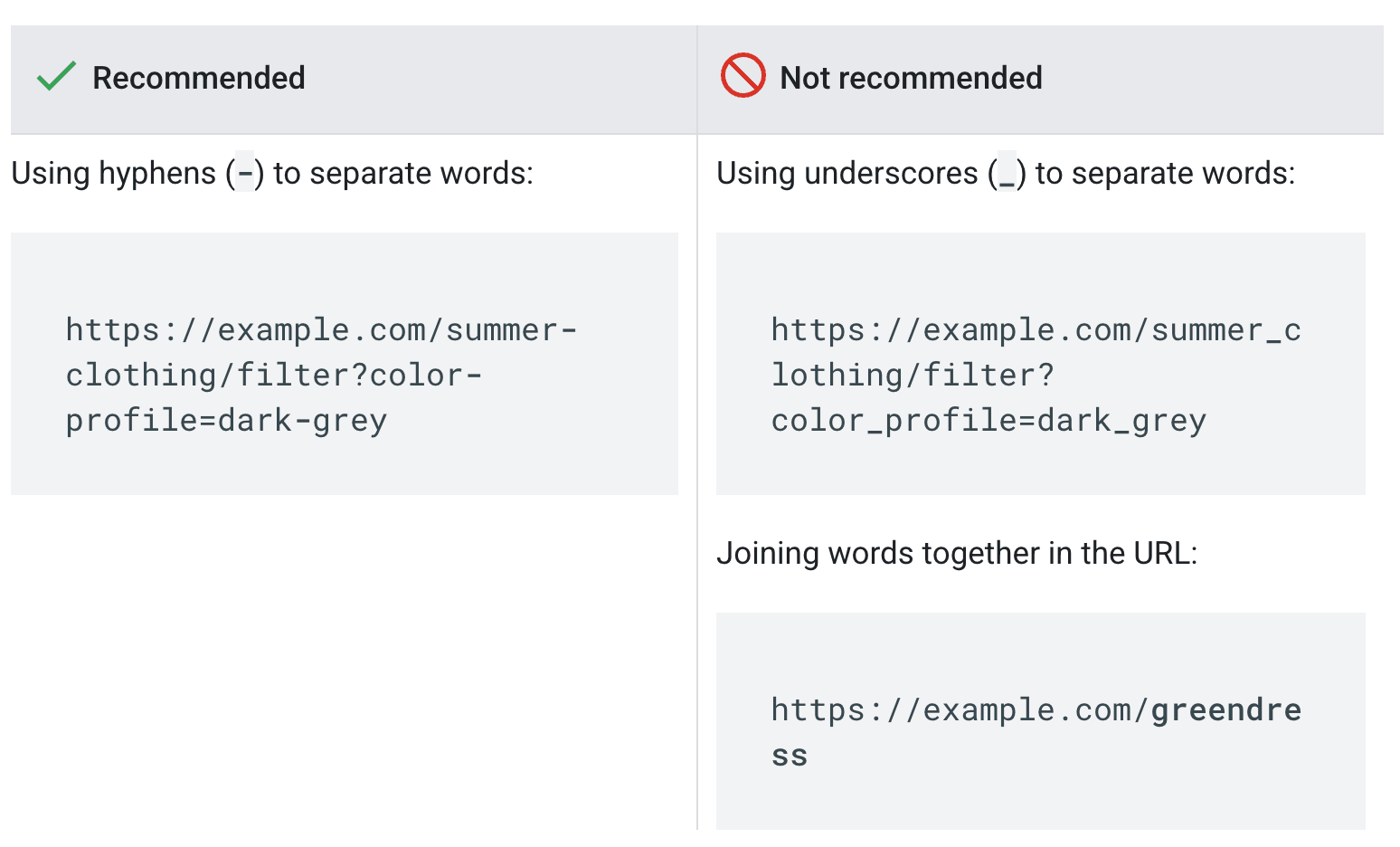
When you need to use several words in a row, simply use hyphens (-), not underscores (_) or anything else.
So, for example, if your article is about red light therapy, an SEO-friendly URL would look like this: site.com/blog/red-light-therapy, not site.com/blog/red_light_therapy or site.com/blog/redlighttherapy.
3. Always use lowercase letters
Every component of your URL has to be written in lowercase. This applies to everything, including brand names, countries, acronyms, etc., that would normally be capitalized in a regular sentence.
For example, even in the case of this blog post, we could use a slug like /urls-seo, but not /URLs-SEO.
4. Include your target keyword naturally
The whole point of all the URL-naming best practices is to help search engines and your website visitors understand what your page is all about. You know what else helps them do that? Your keywords.
We add keywords to our content simply because they are the terms users search for online. So, it makes sense to also add them to your URL. For example, if you optimize your content for a keyword like “best summer holiday destinations,” it could work perfectly for your link, too. It could look something like /blog/best-summer-holiday-destinations.
The only thing you should be aware of is that more isn’t better, so don’t do keyword stuffing where you try to add several target search queries like /blog/best-summer-holiday-destinations -top-countries-for-vacation. This is a no-go.
5. Work on your slug
For most websites, your slug is generally the only URL component you can change when posting any content. Typically, you’d have a field where you can write this in any CMS.
So, what should a slug look like?
Let’s take a look at a real-life example. Here is our blog post on SEO redirects:
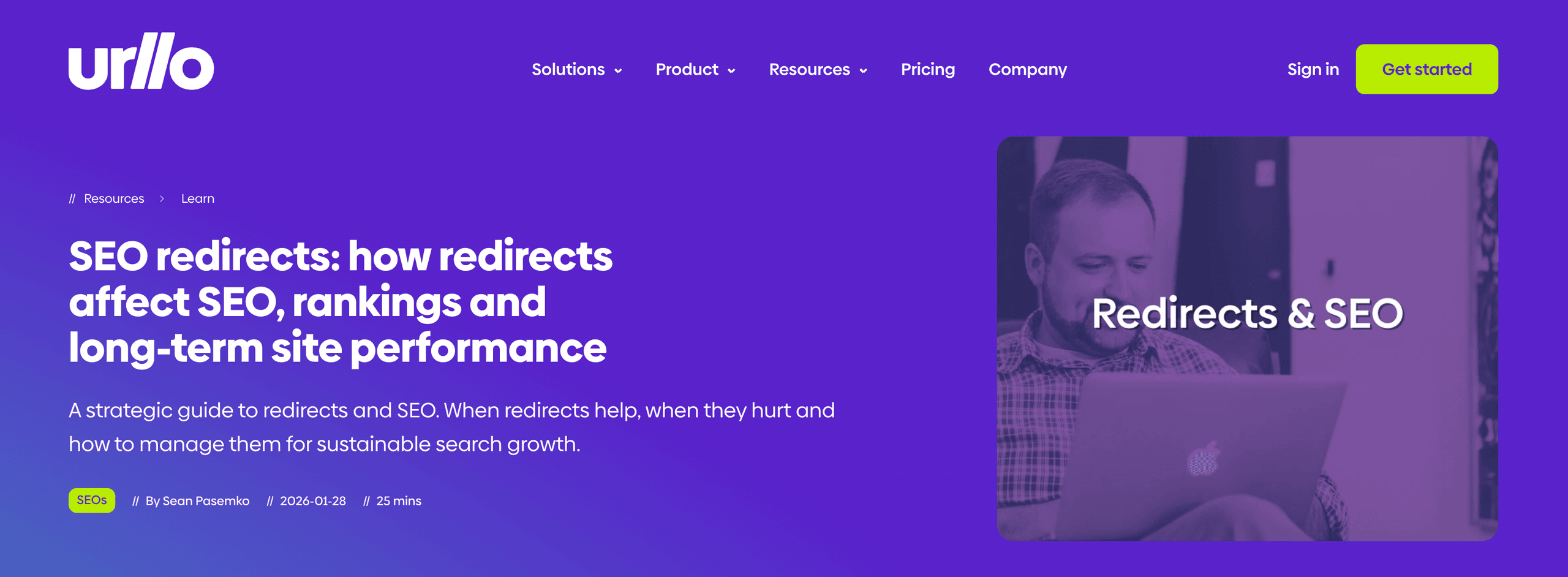
We could have made a slug like this:
/seo-redirects-how-redirects-affect-seo-rankings-and-long-term-site-performance
But of course, we didn’t do that, simply because there is no need for a URL this long. Instead, we’ve chosen a short and sweet keyword-based slug: /seo-redirects. That’s it. The best thing you can do is to avoid overcomplicating everything.
Overall, these are the best practices when it comes to your slug:
- Try to keep it short: Some say 3 to 5 words, but don’t obsess over it, as Google has no such guidance.
- Add your main keyword: If your blog post is about the best winter tires, your slug сould be /best-winter-tires. If it’s about acne-safe moisturizers, you’ve guessed it, the slug сould be /acne-safe-moisturizers.
- Remove filler words: Avoid all those small, unnecessary words. This includes prepositions, articles, conjunctions, pronouns, auxiliary verbs, etc. (e.g., “a/an,” “the,” “some,” “on,” “will,” “they,” and so on).
6. Make sure you use HTTPS
This one goes beyond your URL structure for SEO. It’s also about security, which is a major part of your technical optimization. Having a secure website with an installed SSL certificate signals to both Google and your website visitors that your page is safe to navigate.
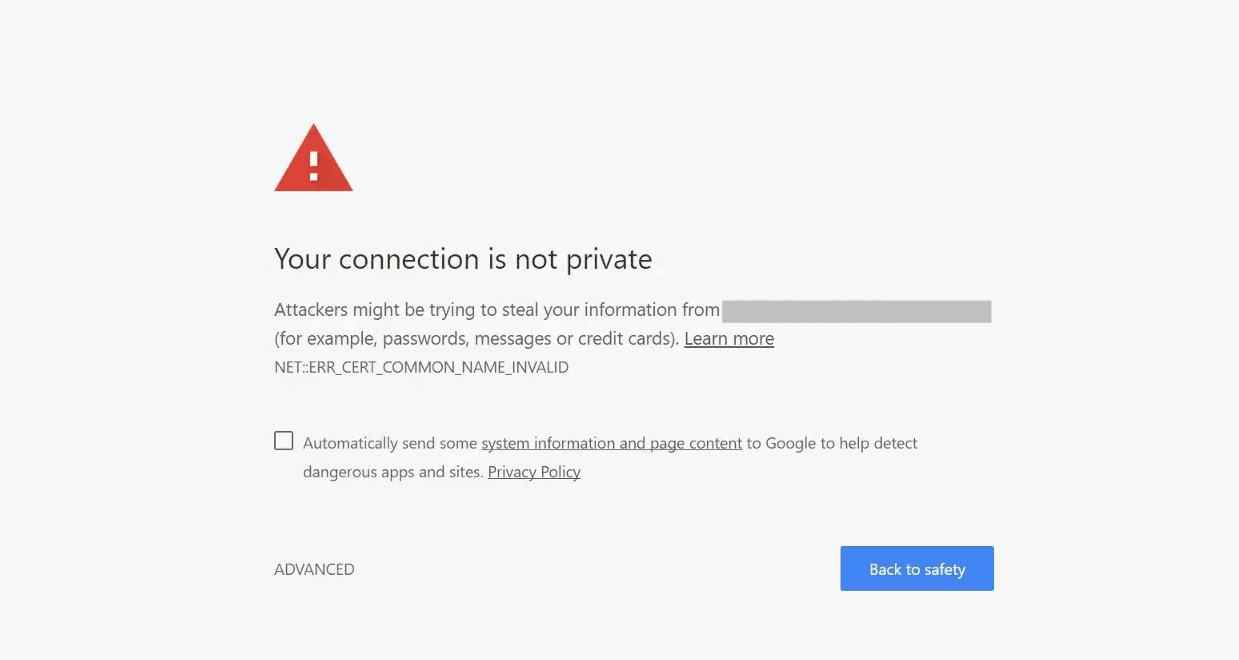
If you don’t have HTTPS next to your URLs, you’re actively hurting your SEO because Google won’t rank a potentially unsafe website. Besides, it will show a message like the one below to everyone landing on your page. And this doesn’t really add any credibility to your business.
7. Avoid dates in evergreen URLs
Having years in your titles is a common practice. You can often see blog posts titled “X best practices for XYZ in 2026,” “AI predictions for 2027,” etc. There is nothing wrong with that. In fact, it can even signal freshness, leading to more clicks.
But the issue is that you can update your title and copy at any time. You’d simply go to your CMS, edit the content, hit Save or Publish and voilà. Yet, it isn’t that easy with URLs. If you do your SEO properly, almost every page on your website will have some internal and external links pointing to it.
So, you can’t just change the year in your URL without redirecting the old link to the new one. And this adds extra work and complexity. That’s exactly why the general best practice is to stay away from any dates in your slugs for content you want to keep for more than a year.
How to change existing URLs without hurting SEO
URLs are a part of technical SEO for a reason. You can’t simply tweak some words in your slug and do nothing else because changing a link creates a new link. So, if your URL is already live and indexed, you have to clean things up.
That’s why it’s important to understand how this process works.
Consider whether you really need this
First of all, after reading this guide, you might feel tempted to go and tweak all your URLs. But this might not be the best idea. As a general rule, don’t change your URLs unless it’s absolutely necessary.
What do we mean by this?
Let’s take a look at our blog post titled “What is an apex domain? DNS setup & best practices guide.”
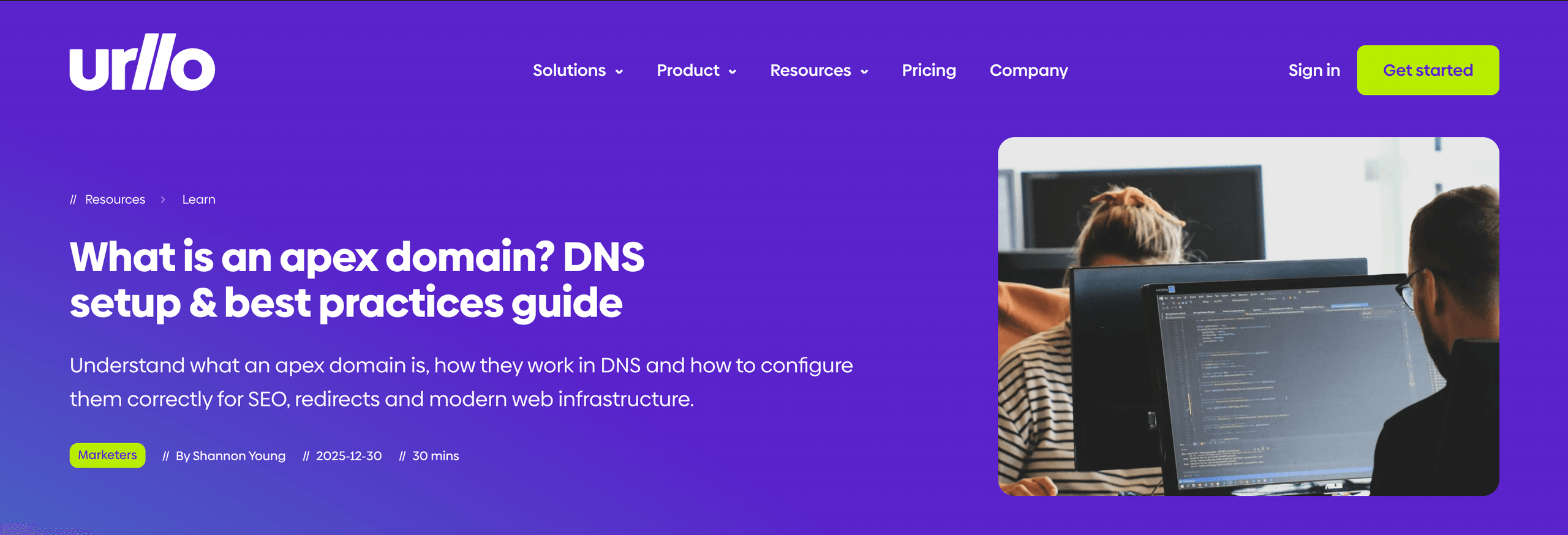
Our slug is /what-is-an-apex-domain. Now, let’s imagine we read this guide and decided to remove “an” from it. Would this make sense? Not at all.
Similarly, a long slug like /what-is-an-apex-domain-dns-setup-and-best-practices-guide isn’t ideal. It’s best to avoid using slugs this long. But overall, it’s still relevant and descriptive. So, it usually isn’t a strong enough reason to change an already indexed URL.
But if our slug looked like this /bvjahgue3893hgfwy3, changing it would be a good idea.
So, to sum up:
- Change: When the URL is broken, misleading, messy or no longer matches the page content.
- Don’t change: When the URL is already live, indexed, relevant and working fine.
Choose the proper redirect type
If you decide that you have to tweak your link, you’ll need to set up a website redirect. In this case, you’d normally use either 301 or 302 redirects. What’s the main difference?
- 301 means that you move your page permanently.
- 302 means that your redirect is temporary and your main page might still be indexed.
So, as you can understand, for most cases, you’d need a 301 to pass the SEO value from the old URL to the new one.
Still, redirects can be really confusing. That’s why, if you want to make this process as smooth, secure and SEO-friendly as possible, try urllo. This way, you’ll avoid redirect chains and loops or any other potential issues that can hurt your search engine optimization.
Final thoughts
URLs are an important component of your SEO strategy. But we want to encourage you to take things easy. If, after reading this guide, you want to tweak your entire website structure, don’t rush it.
Even if your current setup isn’t the best URL structure for SEO, changing it completely might not be the best idea. So, consider all the pros and cons and if needed, consult a technical SEO specialist.
Frequently asked questions about URLs for SEO
How to create SEO-friendly URLs?
Keep them short, clear, descriptive and keyword-based (where needed). Use real, understandable words that match the content of your page, avoid random characters and separate words with hyphens.
What is the best URL structure for SEO?
There is no single best structure. But for most websites, the best setup is a clear, logical path that isn’t unnecessarily deep. For example, /blog/article-title, resources/blog/article-title, /services/category/service-name, etc.
What are the URL best practices for search engine optimization?
Keep your link short, always use lowercase, separate words with hyphens, include your target keyword, try to avoid filler words in your slug, use HTTPS and avoid dates in evergreen content. Also, keep in mind that it’s best not to change existing URLs unless there is a strong reason for that.
What is an SEO-friendly URL example?
Here are some of the examples for different use cases:
- Product page: site.com/clothing/dresses/mini-dresses
- Service page: site.com/services/pool-maintenance
- News article: site.com/news/best-publisher-award
- Guide: site.com/guides/how-to-choose-mattress

By Sean Pasemko
SEO & Growth Marketing Specialist
Sean Pasemko is an SEO and growth marketer at urllo, where he works closely with SEO, IT and WebOps teams on redirect management, domain changes and site migrations.
His writing draws on practical experience analyzing redirect behavior, crawl efficiency and long-term site maintenance to help teams avoid common routing and performance issues.






.png&w=2560&q=88)

.png&w=2560&q=88)




