
When you implement redirects on your website, verifying they work correctly is crucial for maintaining user experience and SEO rankings. Broken or improperly configured redirects can lead to 404 errors, lost traffic and frustrated visitors. Learning how to check if a URL redirects properly helps you catch issues early and maintain smooth navigation across your site.
URL redirects tell browsers and search engines that content has moved to a new location. Whether you're migrating pages, changing domain structures or consolidating content, proper redirect validation ensures users reach their intended destination without encountering errors.
Understanding redirect status codes
Before diving into testing methods, you need to understand the different redirect status codes and what they mean for your website.
Redirect status codes tell browsers and search engines whether a move is permanent or temporary. A 301 is used for permanent moves, such as domain changes, URL structure updates or content migrations and is the best choice when you want search engines to treat the new URL as the replacement.
A 302 is temporary and is better for short-term changes, testing or maintenance. 307 and 308 work similarly to 302 and 301, but they preserve the original request method, which can matter for forms, POST requests and certain applications.
Manual redirect testing methods
The simplest way to test URL redirects starts with basic manual checks that require no special tools.
Browser address bar method
Type the original URL directly into your browser's address bar and press Enter. Watch the address bar as the page loads. If the redirect works properly, you'll see the URL change to the new destination. This method works well for quick spot checks but doesn't reveal the specific status codes being used and doesn’t provide insight into redirect chains.
Browser developer tools
Modern browsers include developer tools that provide detailed information about HTTP requests and responses. Open your browser's developer tools (F12 in most browsers) and navigate to the Network tab. Enter the URL you want to test and examine the response codes in the network activity log.
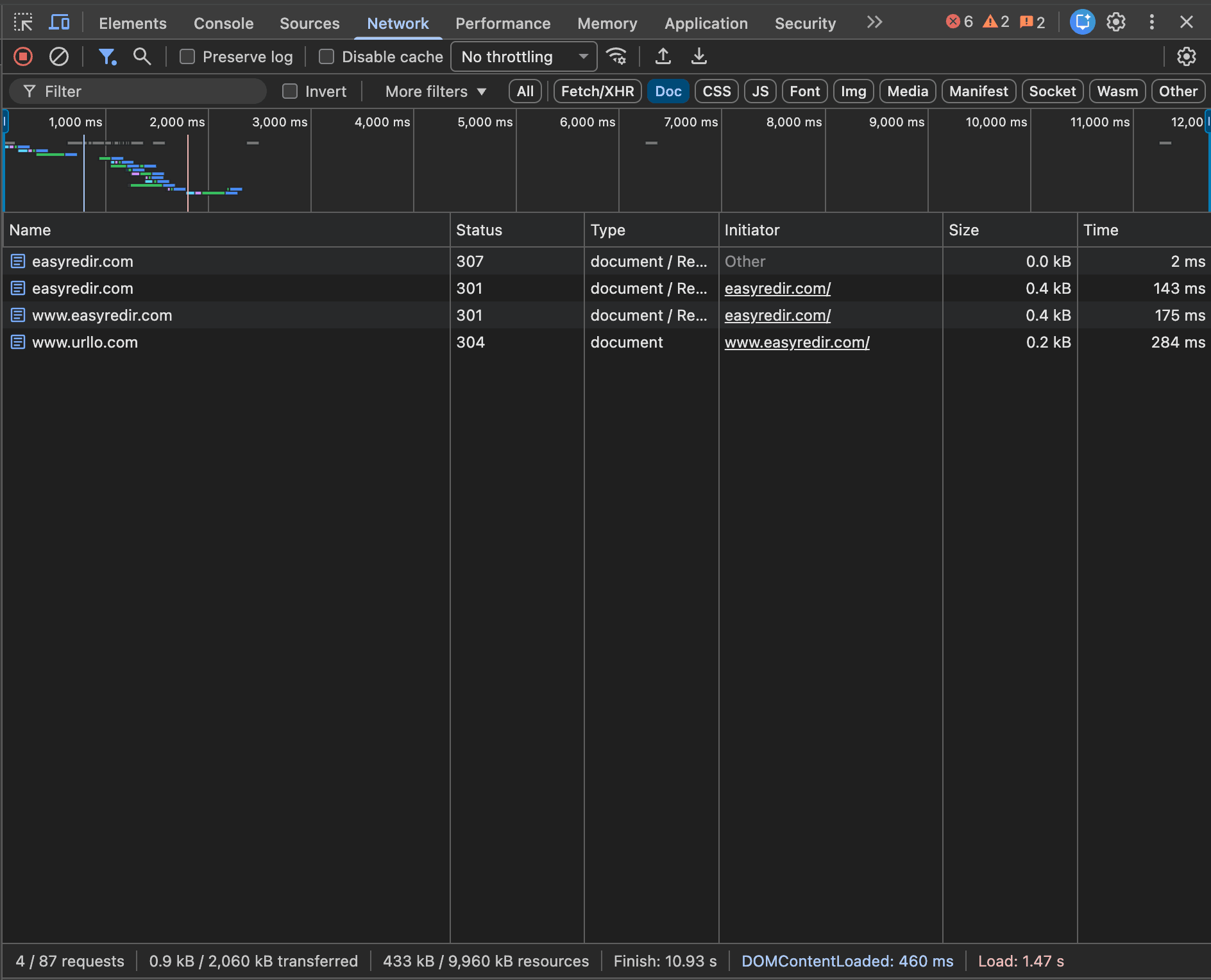
The developer tools show each redirect step in the chain. They include status codes and response headers. This method reveals redirect chains, response latency and other technical details that basic browser testing might miss.
View page source inspection
Right-click on a redirected page and select "View Page Source." If you see a meta refresh redirect in the HTML code, note that this client-side redirect method isn't effective for SEO purposes. Server-side redirects (301, 302, etc.) are preferred because they provide clear signals to search engines.
Command-line tools for redirect testing
Command line tools offer powerful options for testing redirects, especially when you need to check multiple URLs or automate the process.
Using cURL for redirect verification
cURL is a versatile command-line tool available on most systems.
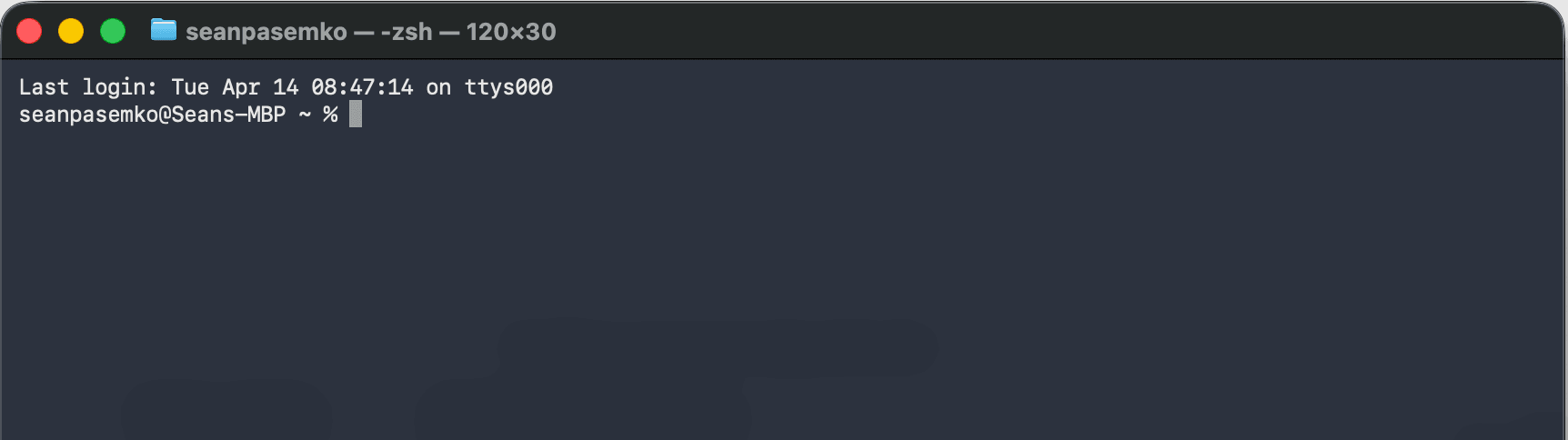
To check redirect response codes, use the following command:
```
curl -I -L https://easyredir.com
```
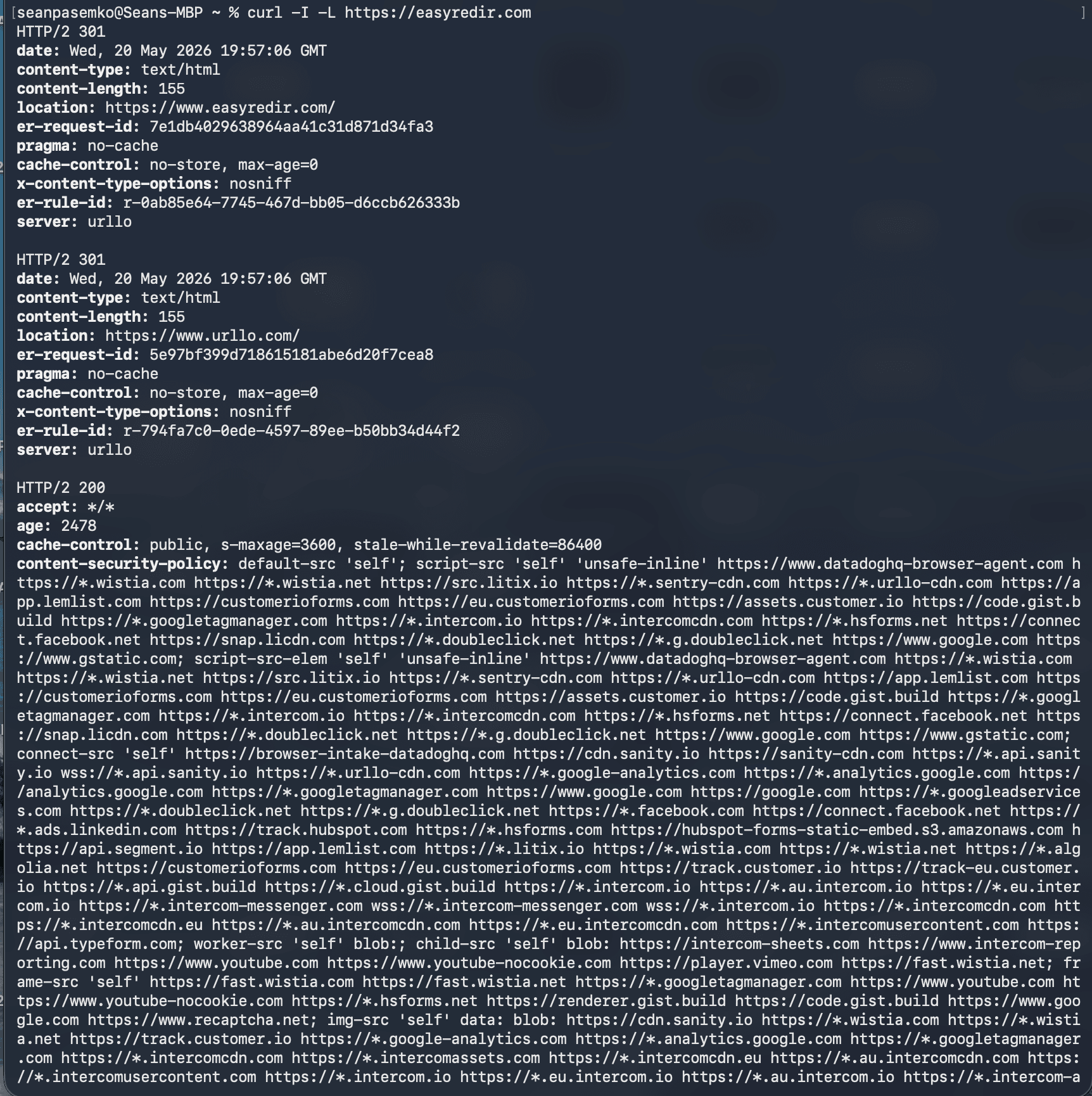
As you can see, you receive a LOT of information as output.
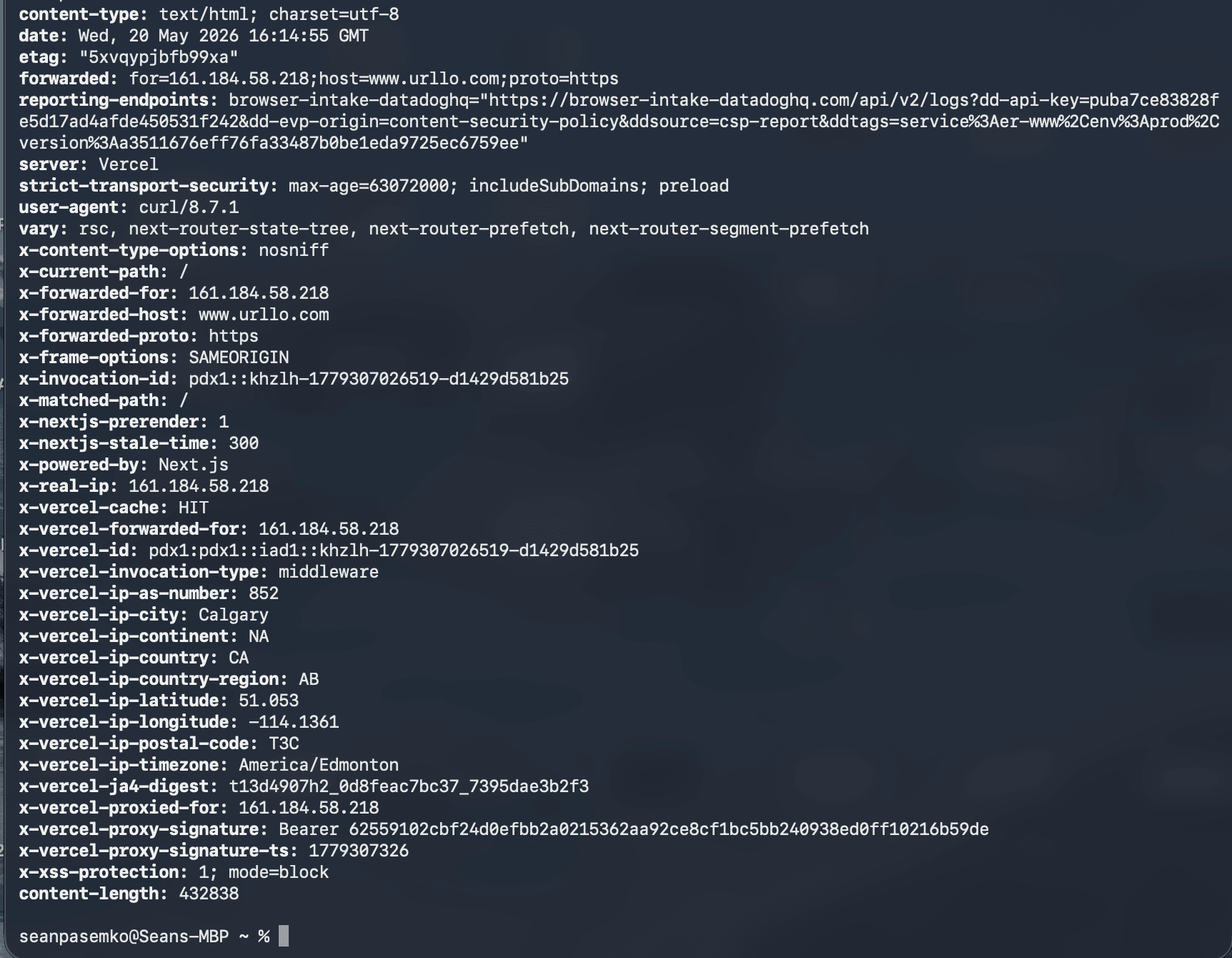
The -I flag requests only headers, while -L tells cURL to follow redirects. This command displays each redirect step. It shows status codes and destination URLs for the entire redirect chain.
For more detailed output, add the -v flag for verbose mode:
```
curl -I -L -v https://easyredir.com
```
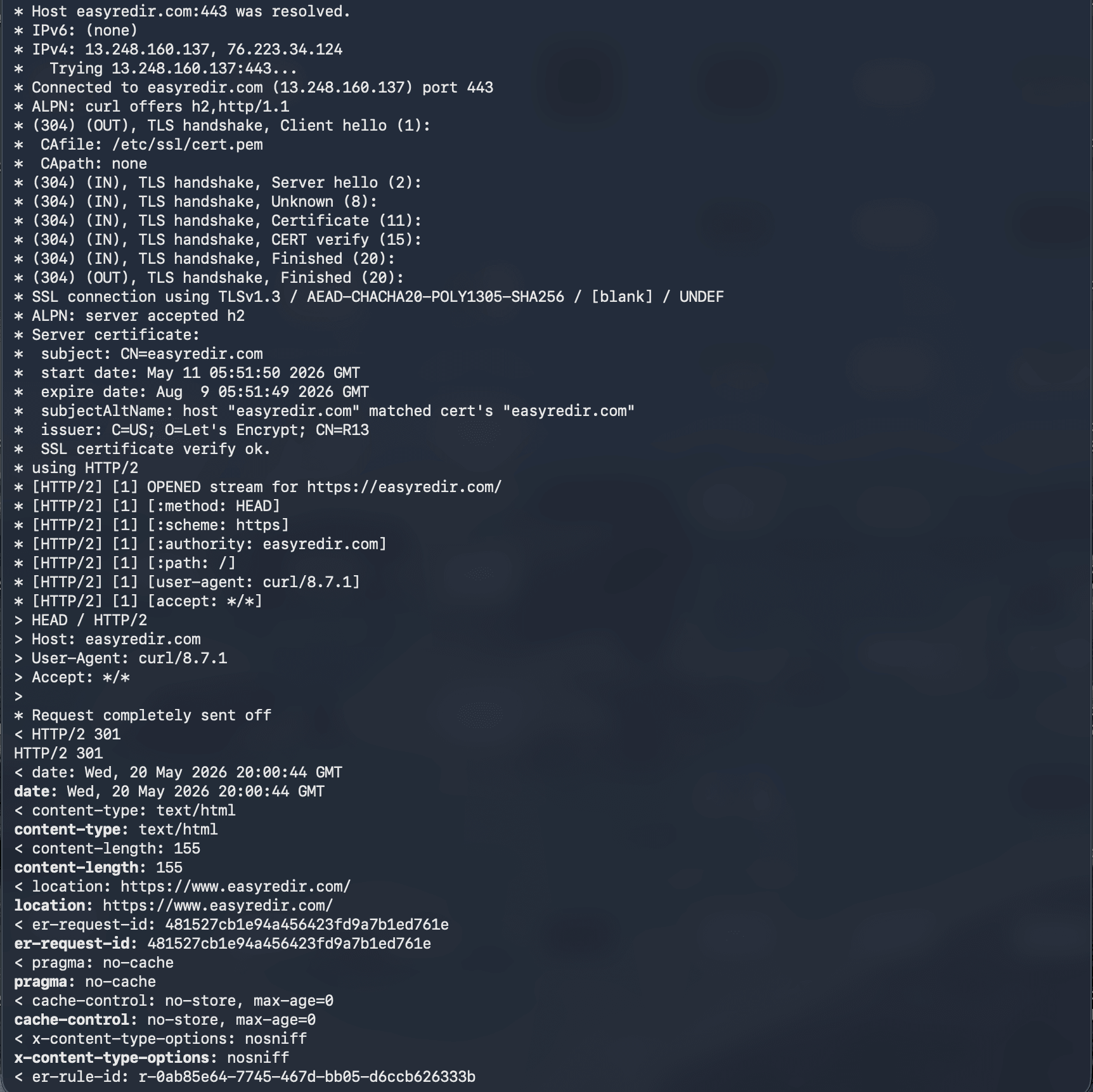
This command provides an overwhelming amount of information.
To make sense of the verbose output, focus on a few key fields. First, look for lines starting with “< HTTP/”, these show the status code at each step of the redirect chain. A line like “< HTTP/2 301” tells you this hop is a permanent redirect. Next, find the “< location:” header immediately after a redirect status; this tells you exactly where the request is being redirected to. Finally, the last HTTP status in the output should be a 200 OK, confirming that the final destination loaded successfully.
You can also look for the “* SSL connection” and “* Server certificate” lines near the top of the output to verify HTTPS is working correctly. If any section shows a certificate error or an unexpected status code, you have a clear signal of exactly where the redirect chain is breaking down.
Online redirect checker tools
Several web-based tools simplify redirect testing without requiring command-line knowledge. These tools typically require entering a URL and automatically follow redirect chains. They display each step with status codes and final destinations.
Popular features in redirect checker tools include:
- Complete redirect chain visualization.
- Response time measurements.
- Header information display.
- Bulk URL testing capabilities.
- Export options for results.
For example: urllo’s free redirect checker
Let’s test easyredir.com again.
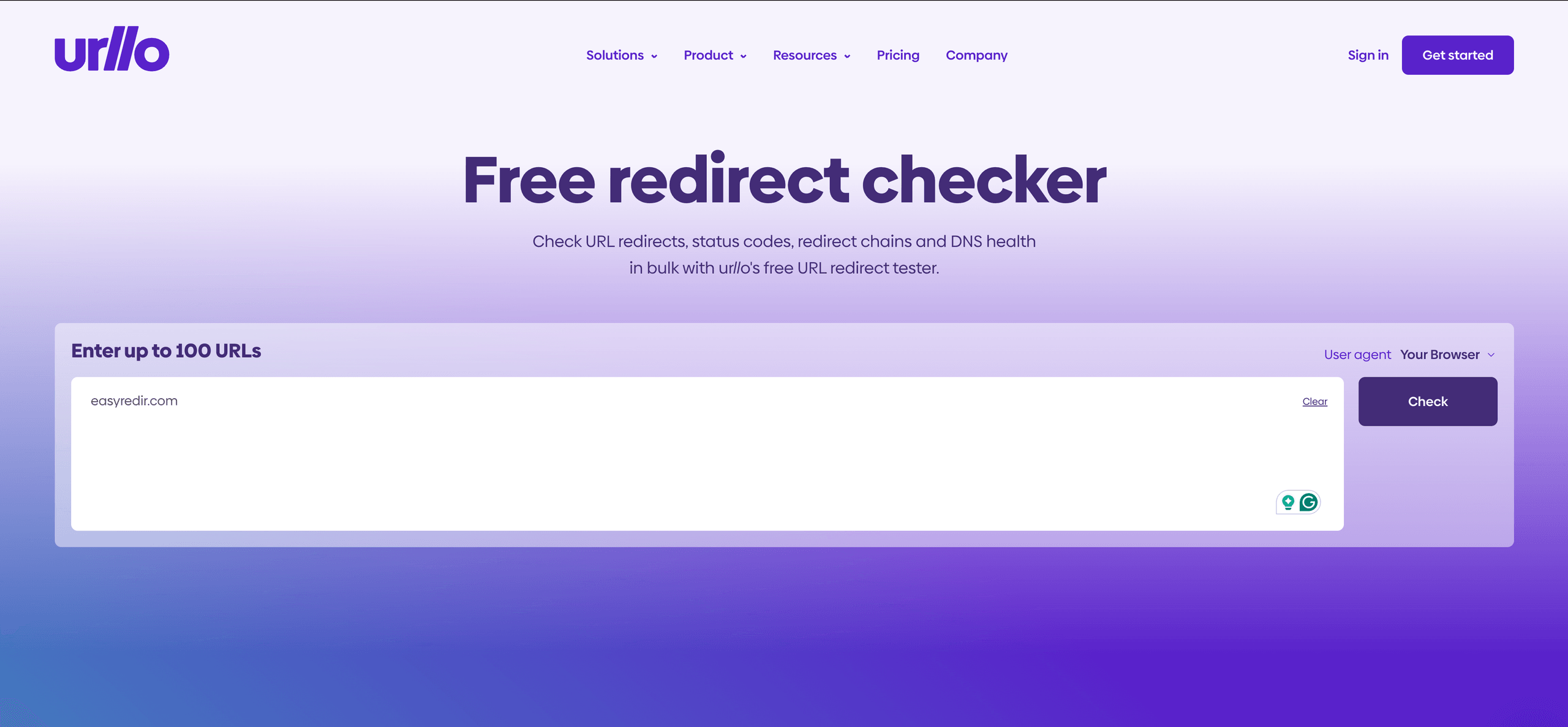
Once we hit enter, we receive a detailed analysis below.
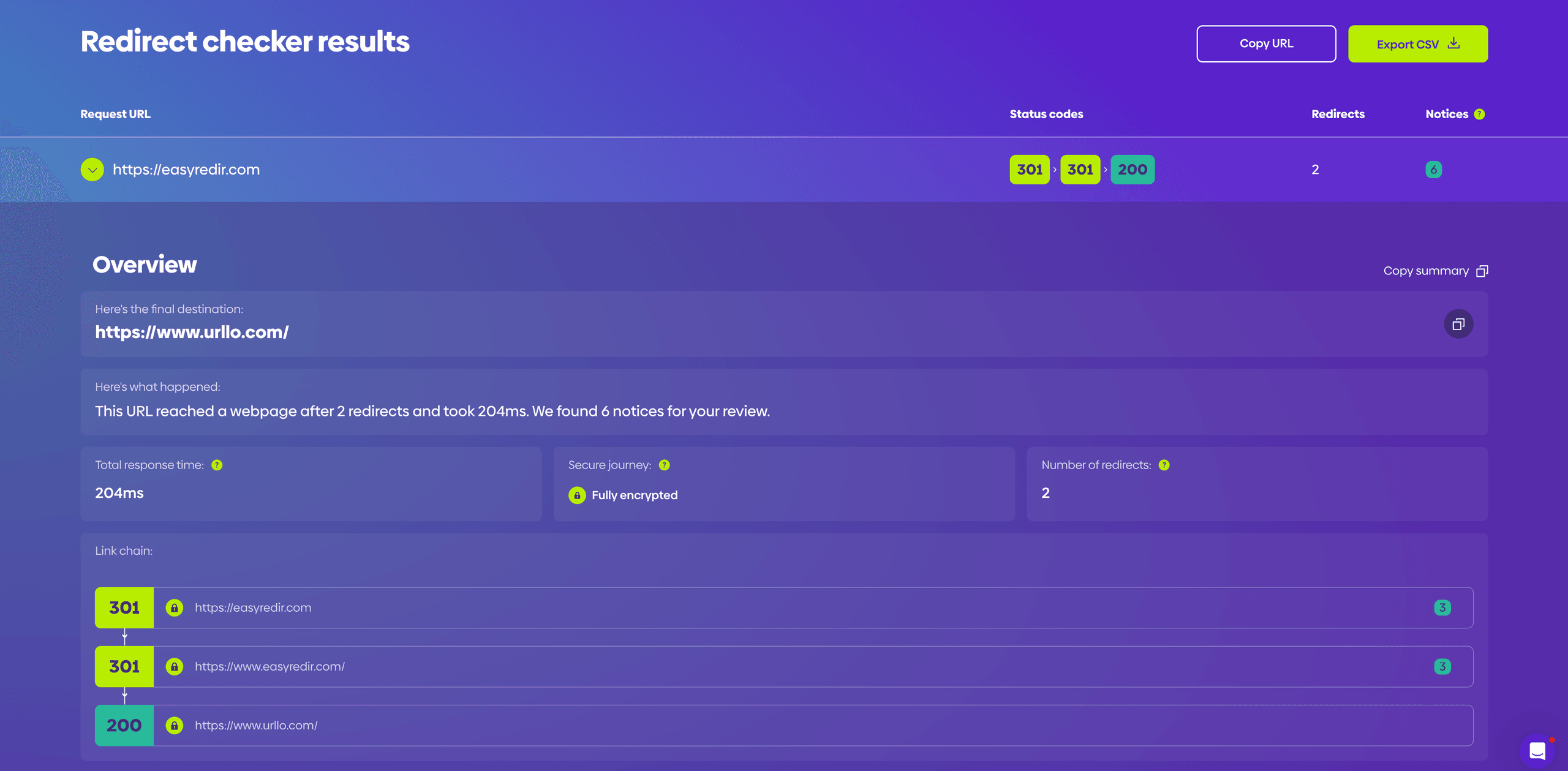
We can see the total response time, the redirect chain and the status codes along the way. It looks like easyredir.com (the apex) first redirects to the www subdomain, then redirects to https://www.urllo.com.
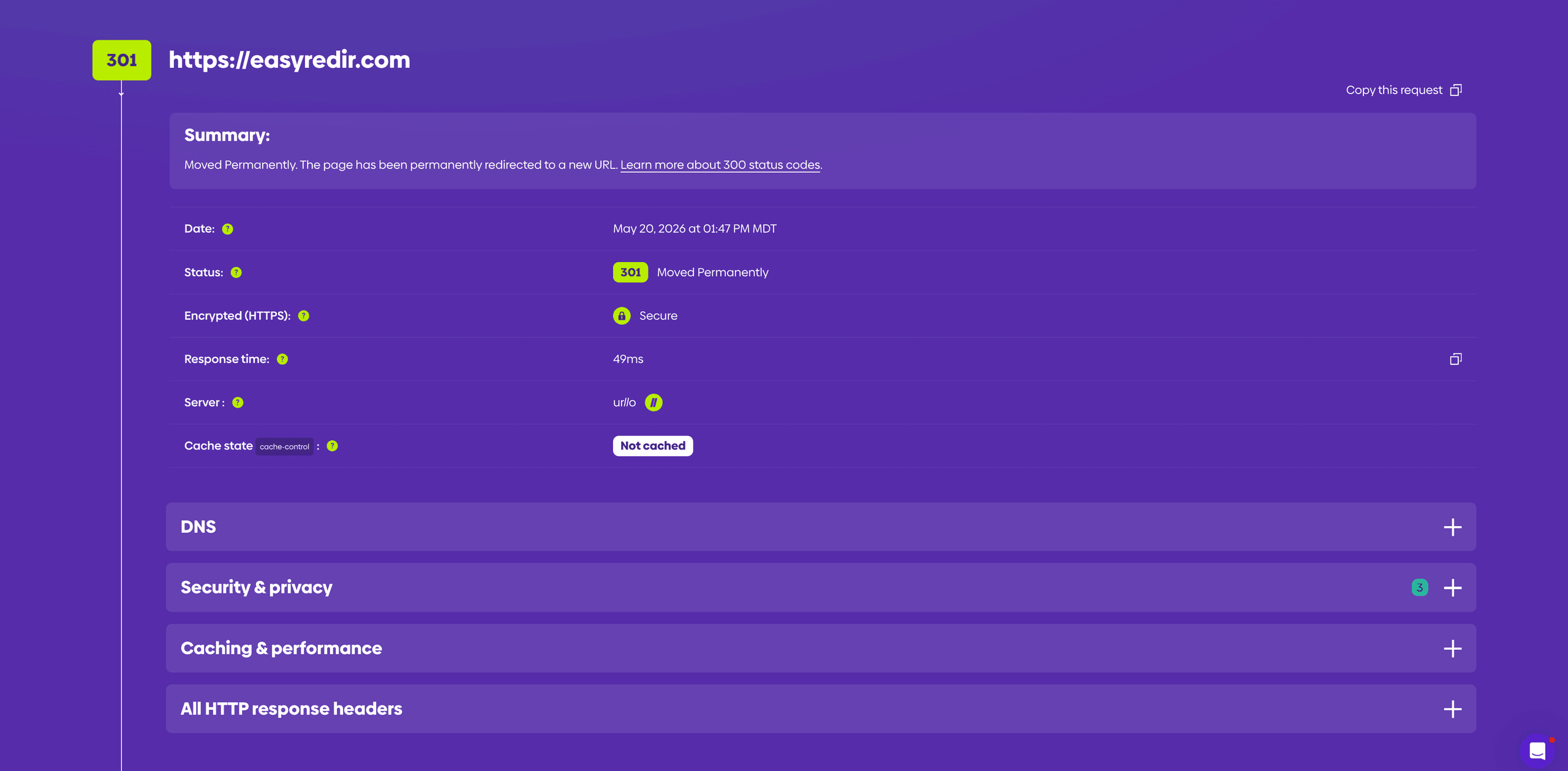
Additionally, we can see the response time for each individual redirect, as well as DNS information, security information and other response headers.
Browser extensions
Browser extensions provide convenient redirect testing within your normal browsing workflow. These extensions often display redirect information directly in your browser toolbar or as overlay information on redirected pages.
Popular options for Chrome include Redirect Path, which shows a step-by-step breakdown of every redirect in the chain as a badge on the browser icon and Link Redirect Trace, which provides detailed information on each hop, including status codes, redirect type and whether the redirect is a Google-safe redirect.

To use these extensions, simply install one from your browser’s extension store, then navigate to any URL. The extension will automatically detect and display redirect information without requiring you to open developer tools or run command-line commands. This makes browser extensions particularly useful for quick, on-the-fly checks while browsing or auditing a site. However, one downside of this is that these extensions track everything you do, which can be a privacy concern.
Things to look out for when testing redirects.
Testing redirect chains
Redirect chains occur when one redirect points to another redirect, creating a sequence of redirections. While occasional redirect chains are normal, excessive chaining can slow page load speed and confuse search engines. Clients will give up after a certain number of redirects (typically 20), and AI crawlers tend to stop following after around 10.
Identifying redirect loops
A redirect loop happens when URL A redirects to URL B, which redirects back to URL A. This creates an infinite loop that browsers eventually break with an error message. Testing tools help identify these problematic configurations before they affect users.

Measuring redirect chain length
Best practice suggests limiting redirect chains to 3-5 hops maximum. Longer chains increase page load speed. They may cause some crawlers to stop following the redirects entirely. Regular testing helps identify chains that have grown too long over time.
Troubleshooting common redirect issues
When your redirect tests reveal problems, several common issues and solutions can help resolve them quickly.
Mixed redirect types
Mixing permanent and temporary redirects in the same chain can confuse search engines when it comes to canonical signals. Ensure consistency in redirect types throughout your chains. Use 301 redirects for permanent moves. Use 302 redirects only when truly temporary.
Incorrect status codes
Some server configurations appear to “redirect” users by serving the new page content at the old URL, but still return a 200 OK status code. In that case, no redirect is actually happening. The old URL remains accessible, which can create duplicate content, split ranking signals, and make it harder for search engines to understand the preferred destination. Check your configuration to ensure the old URL returns the correct 3xx redirect status code and points to the intended new URL.
Mobile redirect variations
Test redirects on mobile devices separately, as some sites implement different redirect logic for mobile users. Mobile-specific redirects can behave differently from desktop versions. This can potentially create user experience issues.
HTTPS redirect verification
Verify that HTTP URLs properly redirect to their HTTPS counterparts. Security-conscious users and search engines expect consistent HTTPS implementation. Test both HTTP and HTTPS versions of your URLs to ensure proper redirect behavior.
Start by testing the non-secure version of your URL (http://) to confirm it redirects to the https:// version with a 301 status code. Then check that the www and non-www variants also redirect correctly. For example, both http://example.com and http://www.example.com should end up at https://www.example.com (or whichever canonical form you prefer) via a 301 redirect.
Also, confirm that your HTTPS certificate is valid and not expired, as an invalid certificate can cause browsers to block the redirect entirely. Tools like cURL with the -v flag or an online redirect checker will show you both the redirect chain and any SSL/TLS certificate errors in a single test.
Best practices for redirect validation
Implementing systematic redirect testing ensures consistent performance and user experience.
Documentation and tracking
Maintain detailed records of all redirects on your site. Include implementation dates, reasons for creation and regular test results. This documentation helps troubleshoot issues and prevents accidentally breaking working redirects during site updates.
Regular audit schedules
Establish regular redirect auditing schedules. Test all redirects at least monthly. High-traffic redirects may warrant weekly testing, while less critical redirects can be checked quarterly.
Cross-browser testing
Test redirects across different browsers and devices to ensure consistent behavior. Some browsers handle certain redirect types differently. This can potentially create user experience inconsistencies.
At minimum, test your redirects in Chrome, Firefox, Safari and Edge, since each uses a different engine that may handle certain redirect types or caching behavior differently.
Mobile browsers should also be part of your testing checklist. Open the redirecting URL on both iOS (Safari) and Android (Chrome) to confirm users on mobile devices are landing on the correct destination.
If your site uses device-specific redirect logic, such as sending mobile visitors to an m. subdomain, make sure both the mobile and desktop redirect paths are working as expected.
Final thoughts
Proper redirect validation protects your website's user experience and search engine performance. Whether you use manual browser testing, command line tools or online redirect checkers, regular verification ensures your redirects continue working as intended.
Start with simple manual checks for quick validation, then implement automated testing for comprehensive coverage. Document your redirect testing process and schedule regular audits to catch issues before they impact your users.
Remember that redirect testing is an ongoing maintenance task, not a one-time setup activity. As your website evolves and content changes, your redirect testing practices should evolve too.
If your team manages redirects across multiple domains, systems or stakeholders, urllo can help centralize that work in one place. Instead of maintaining redirects across your CDN, CMS, DNS and servers, urllo gives teams a dedicated way to create, manage and validate redirects as their website changes.
Frequently asked questions about testing redirects
What status code should a proper redirect return?
For permanent redirects, use 301 status codes to tell search engines the page has moved permanently. For temporary redirects, use 302 status codes. The 307 and 308 codes provide more specific instructions for preserving request methods during redirection.
How do you check for redirect chains?
Use browser developer tools or command line tools like cURL to follow redirects step by step. Most redirect checker tools automatically detect and display complete redirect chains. They show each hop in the sequence with status codes and destinations.
What tools can test URL redirects automatically?
Online redirect checker tools, browser extensions and command-line utilities like cURL and wget can test redirects automatically. Many website monitoring services also include automated redirect testing features with alert capabilities.
How do you fix broken redirects?
First, identify the specific failure point using redirect testing tools. Common fixes include updating redirect rules in your server configuration. You can also fix typos in destination URLs or remove redirect loops. Check your .htaccess file or server settings for incorrect redirect syntax.
What is the difference between 301 and 302 redirects?
A 301 redirect indicates a permanent move and transfers most SEO value to the new URL. A 302 redirect signals a temporary move and preserves the original URL's search engine rankings. Use 301 for permanent changes and 302 only for truly temporary situations.

By Shannon Young
Customer Success Manager
Shannon is a seasoned professional in the customer success space. She has years of experience in a wide variety of customer-facing roles in various sectors.
Always ready to take on the next challenge, whether it be a new offensive cross stitch pattern or making her dogs sit still for another themed photo, she is prepared for anything.





.png&w=2560&q=88)



.png&w=2560&q=88)